
Build a WhatsApp Business sequence
1
Create a new sequence
Go to Sequences → Create sequence.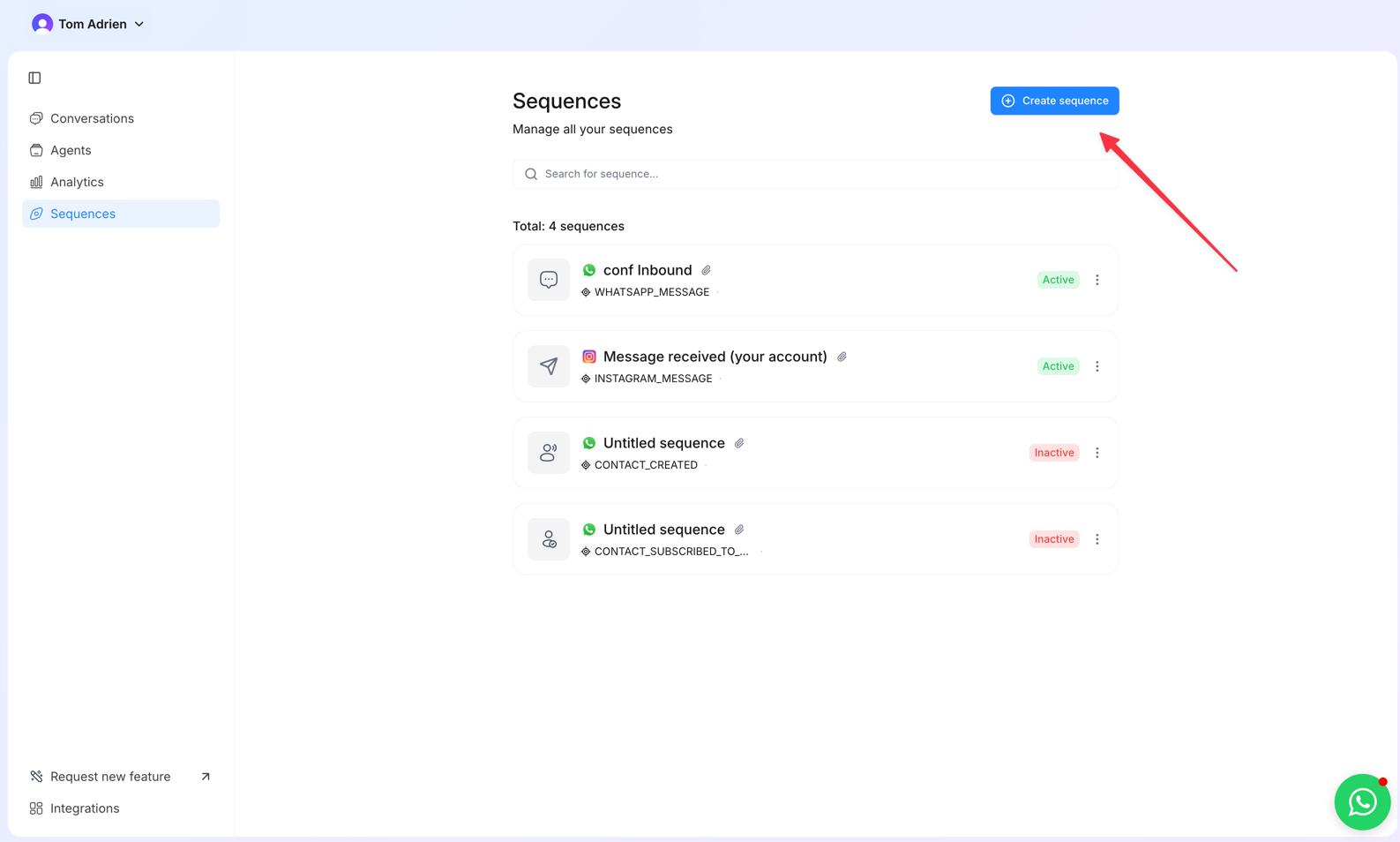
2
Pick WhatsApp
Select WhatsApp as the channel.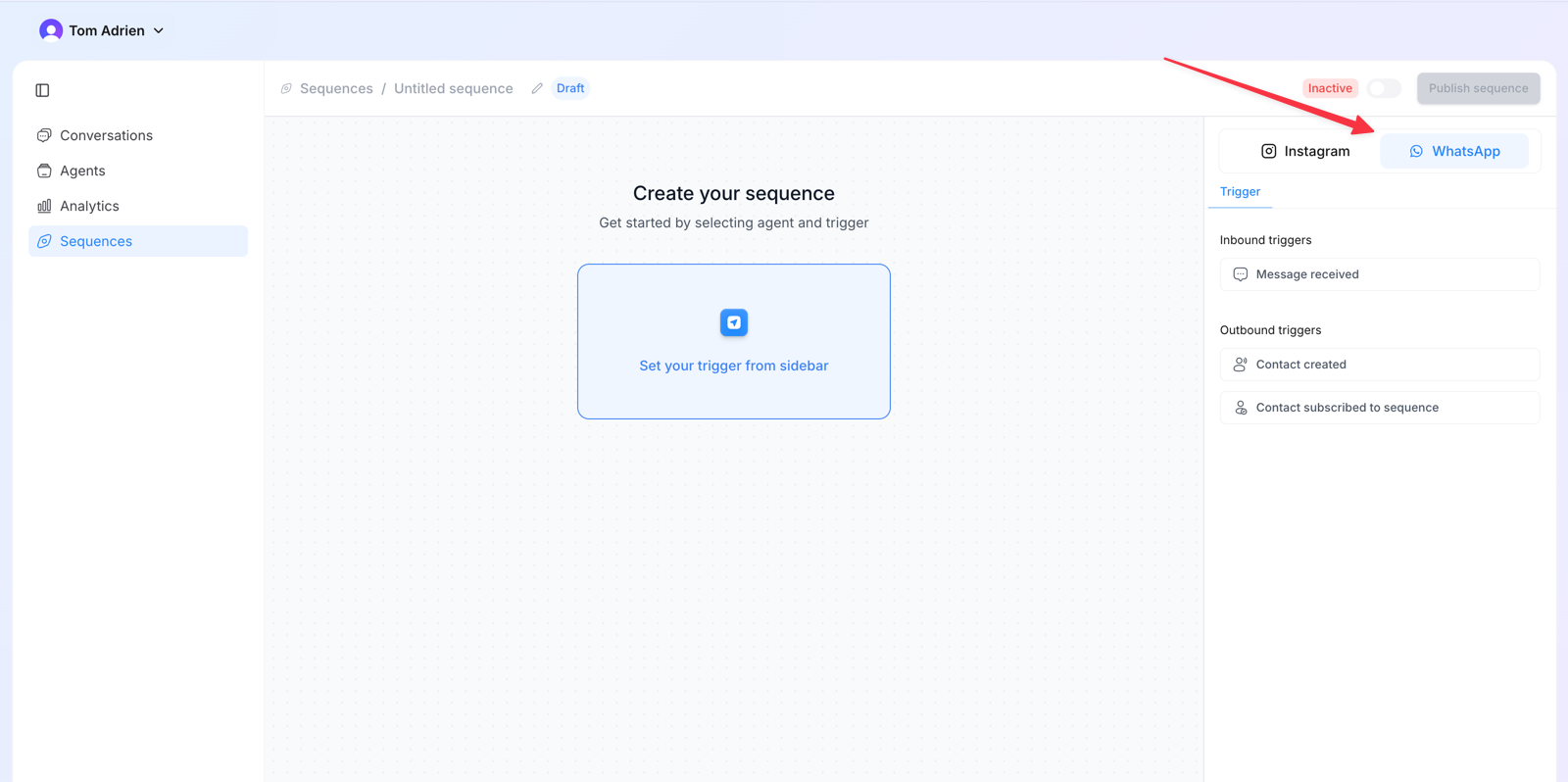
3
Choose a trigger
4
Add the first action step
Click + and Add action step.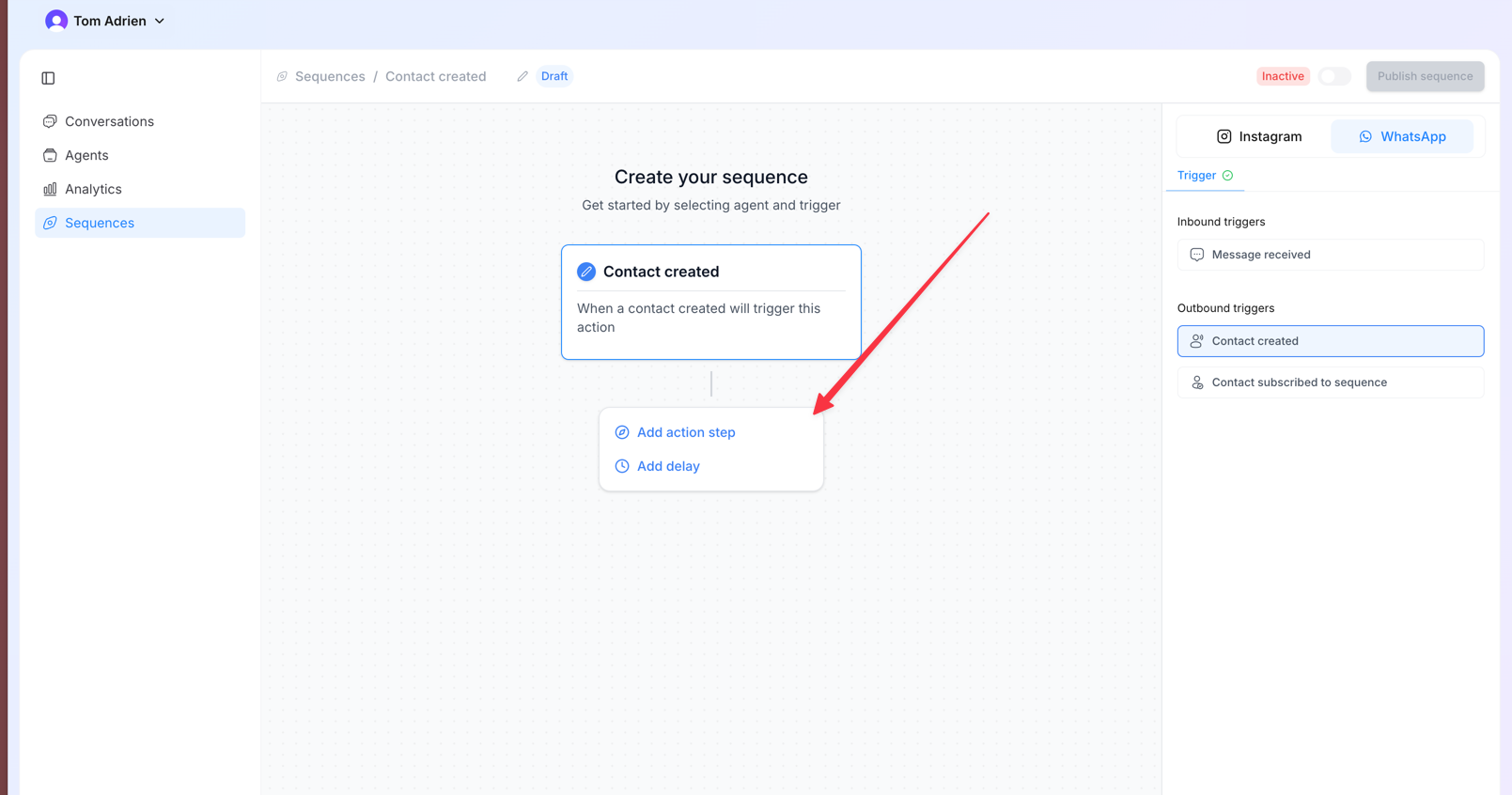
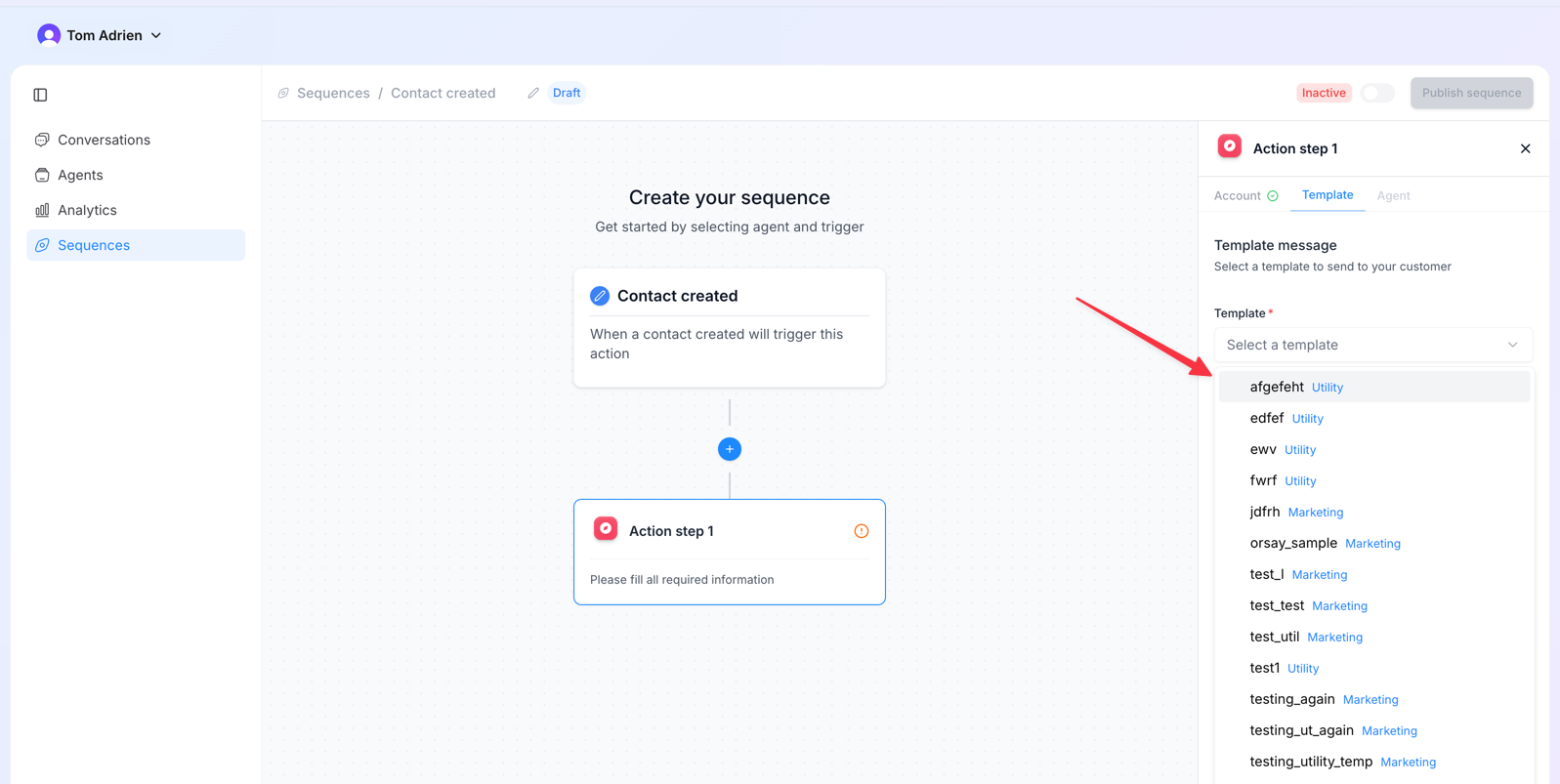
5
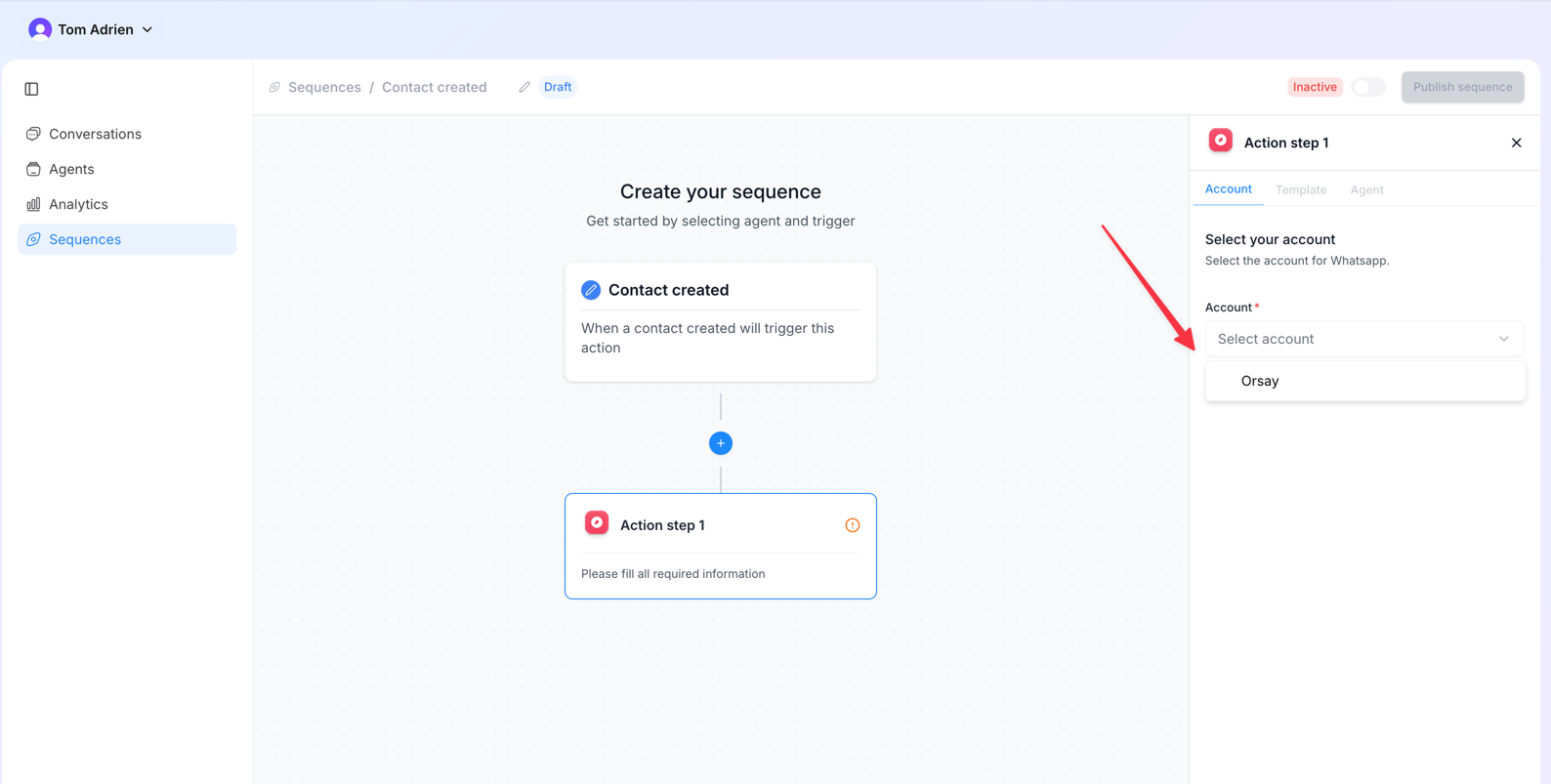
Attach the agent
Pick the agent. Set the answer delay and add follow-ups if needed, then click Confirm.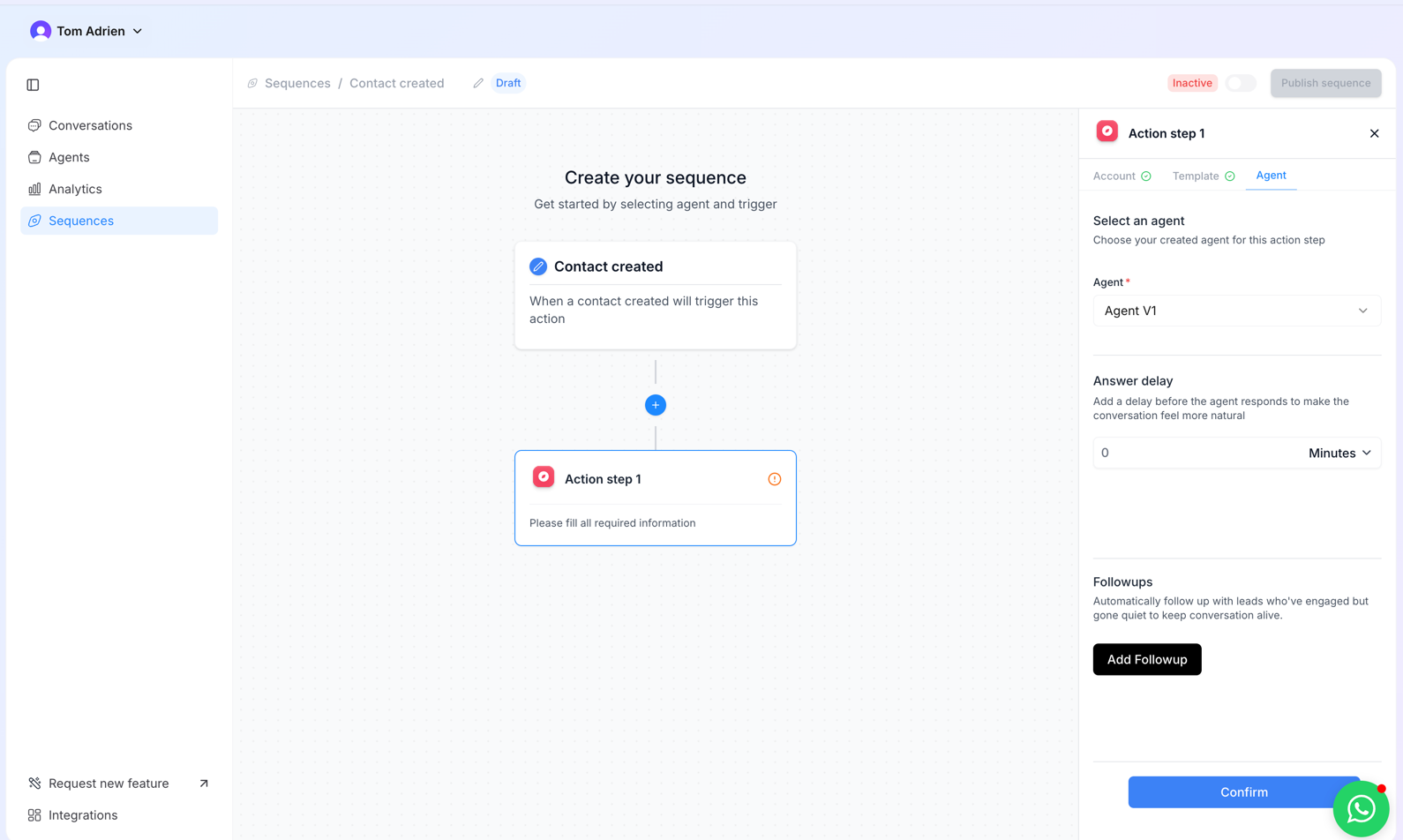
6
Toggle on and publish
Activate the sequence with the toggle and publish.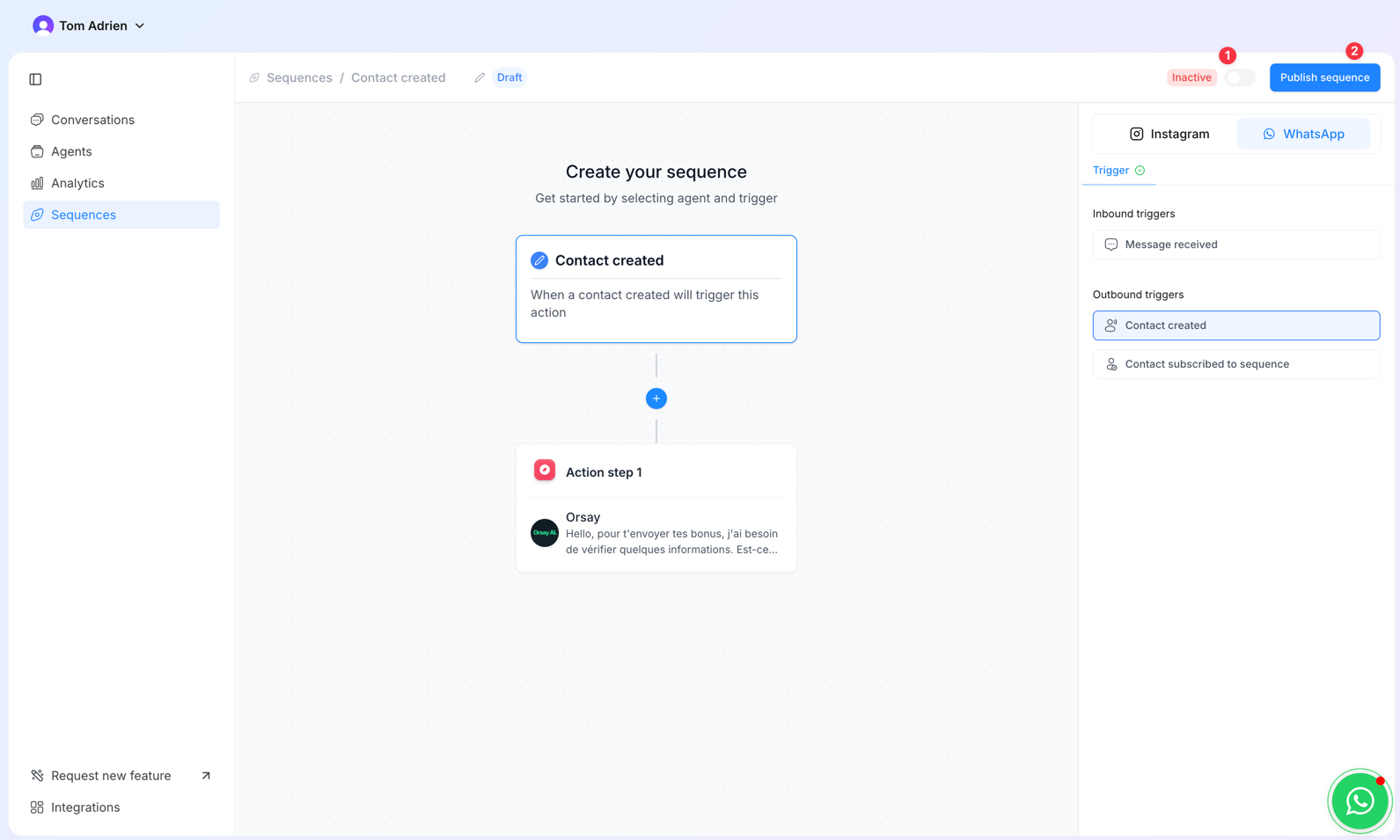
The 24-hour rule
WhatsApp Business has a 24-hour messaging window: after a lead replies, the agent can write freely for 24 hours. After that, you must send another approved template to re-open the conversation. Use follow-ups in the sequence to schedule template-based re-engagements at the right cadence.Bulk leads via CSV or Zapier
Got an existing lead list? Two ways to push them into a sequence:- CSV upload — Integrations → Bulk Leads → Upload Files. The sequence must use the Contact subscribed to sequence trigger.
- Zapier — connect your lead source (Facebook Ads, ClickFunnels, etc.) and route every new lead automatically. → covered in the next step.