
How it works
A Zap watches your lead source. When a new lead is captured, Zapier calls Orsay’s Create Lead for Sequence action, which drops the lead into the sequence you choose. Your sequence’s first message (text or voice) goes out automatically.Set it up
1
Connect Zapier in Orsay
Go to Integrations → click Connect Zapier.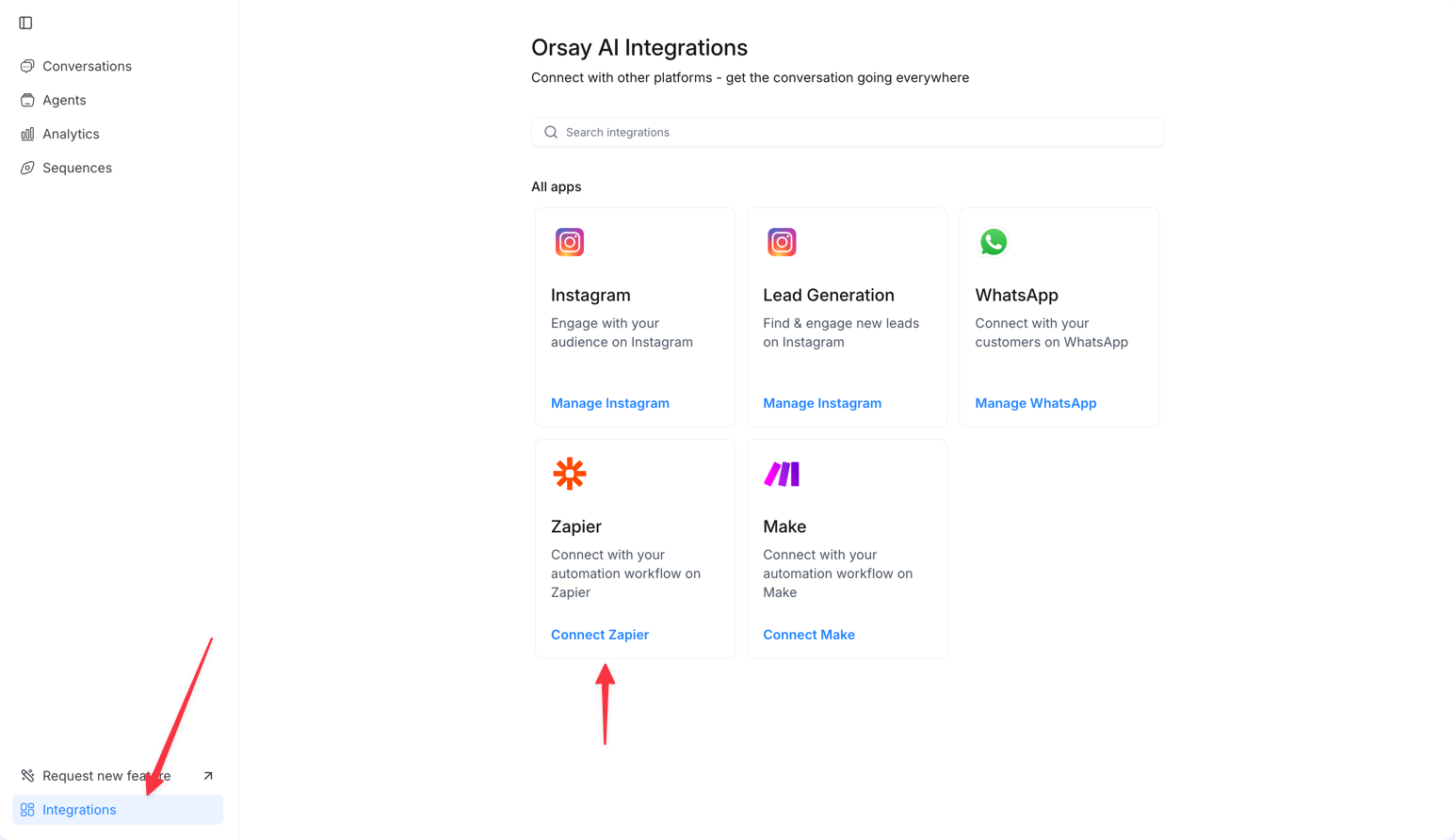
2
Create a new Zap
In Zapier, click + Create to start a new Zap.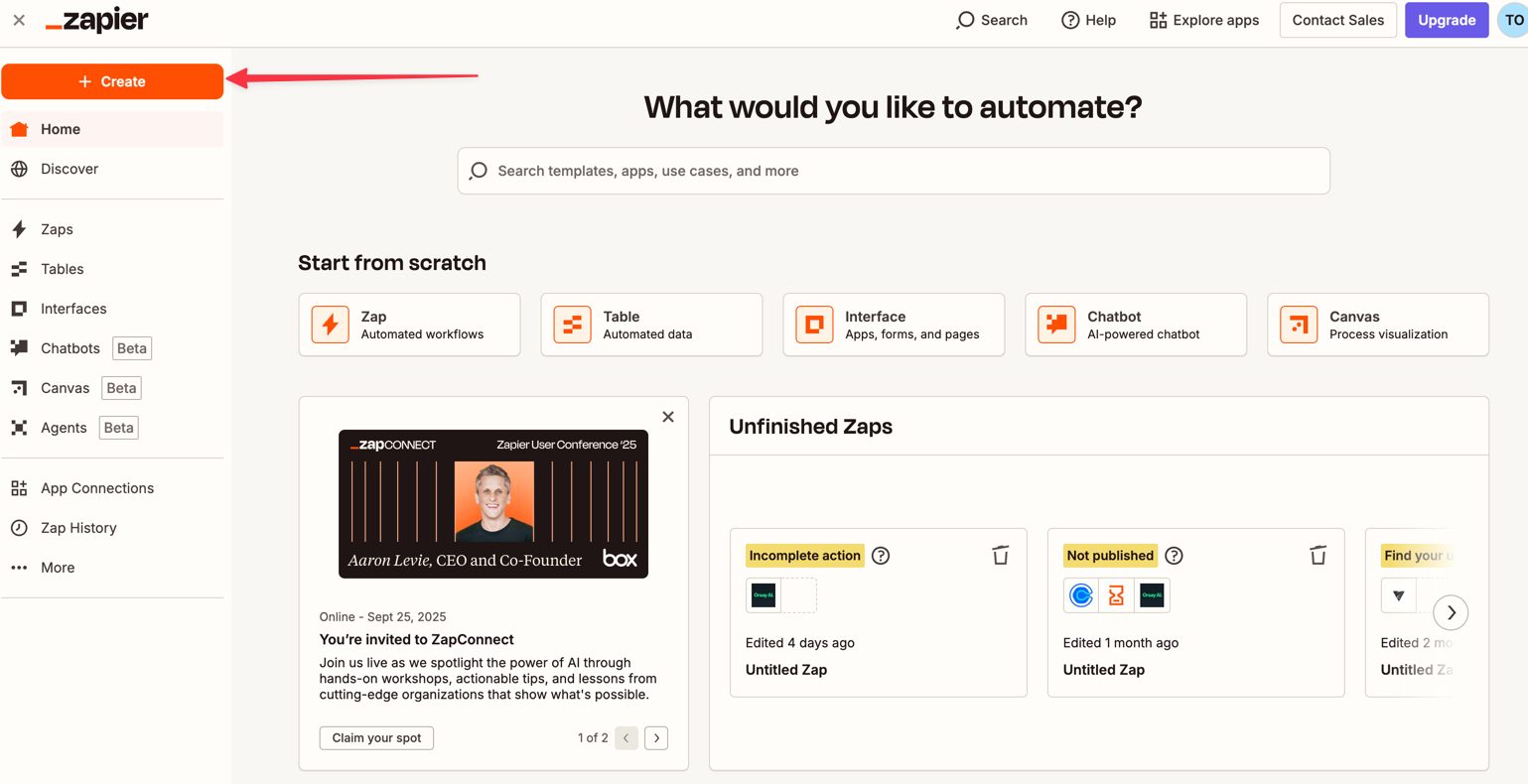
3
Pick your lead source
Choose the platform that captures your leads — Facebook Lead Ads, ClickFunnels, systeme.io, or any compatible source.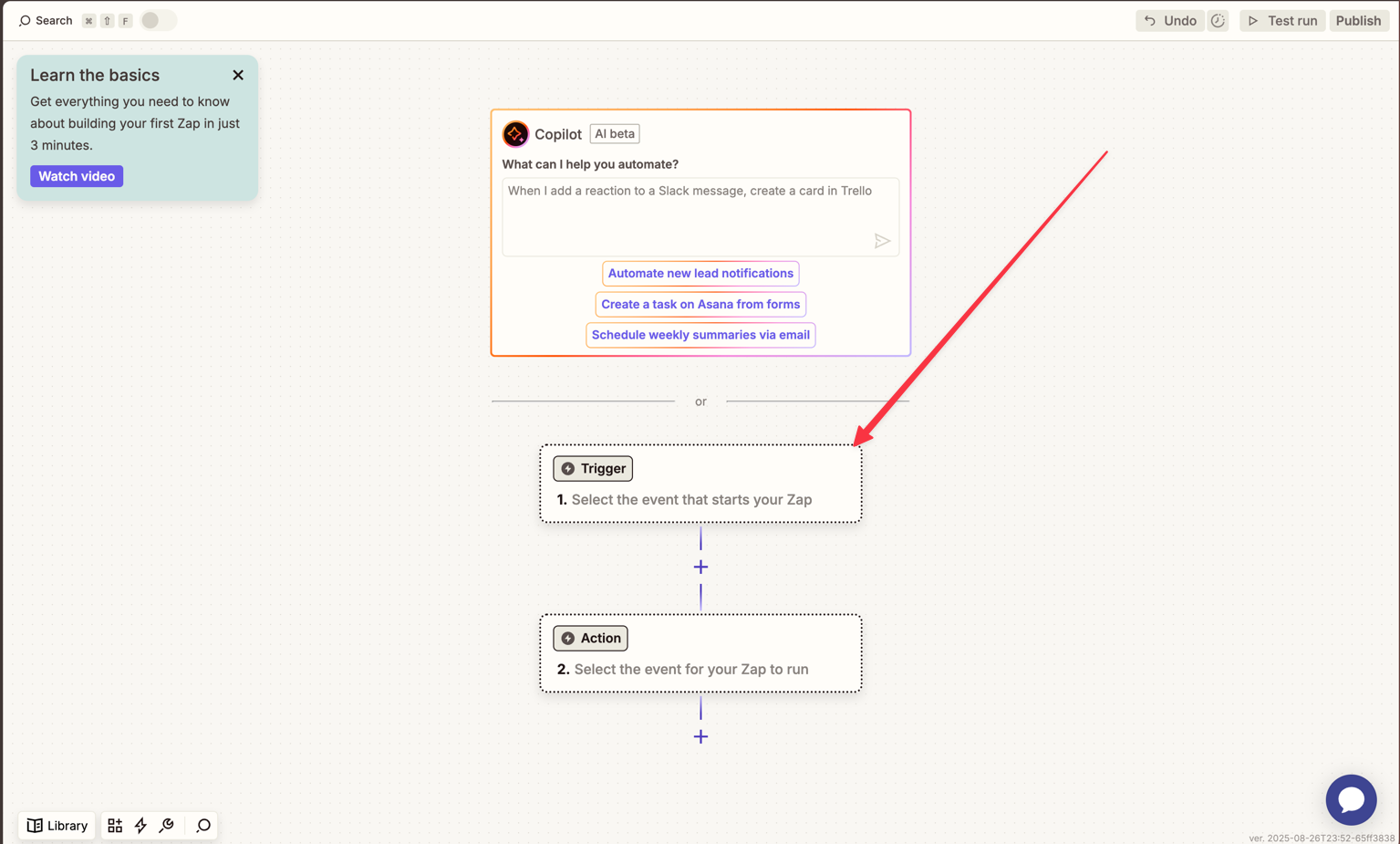
4
Choose the Orsay action
Select Create Lead for Sequence so each lead lands directly into a specific Personal WhatsApp sequence.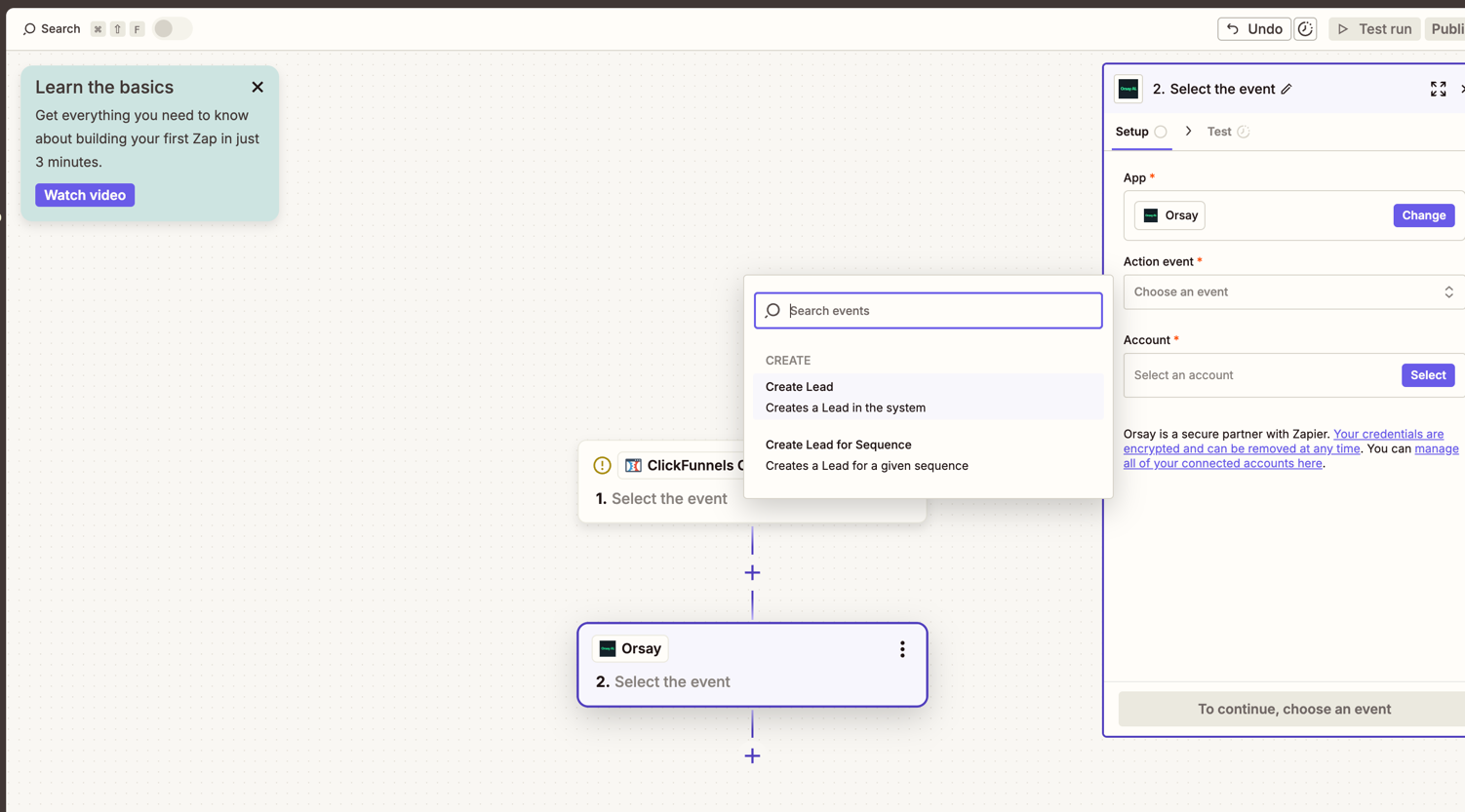
5
Map fields
Map the lead’s First Name, Last Name, and Phone Number from your source to Orsay’s fields.
6
Pick organization and sequence
Select the Organization and the Personal WhatsApp sequence the lead should enter.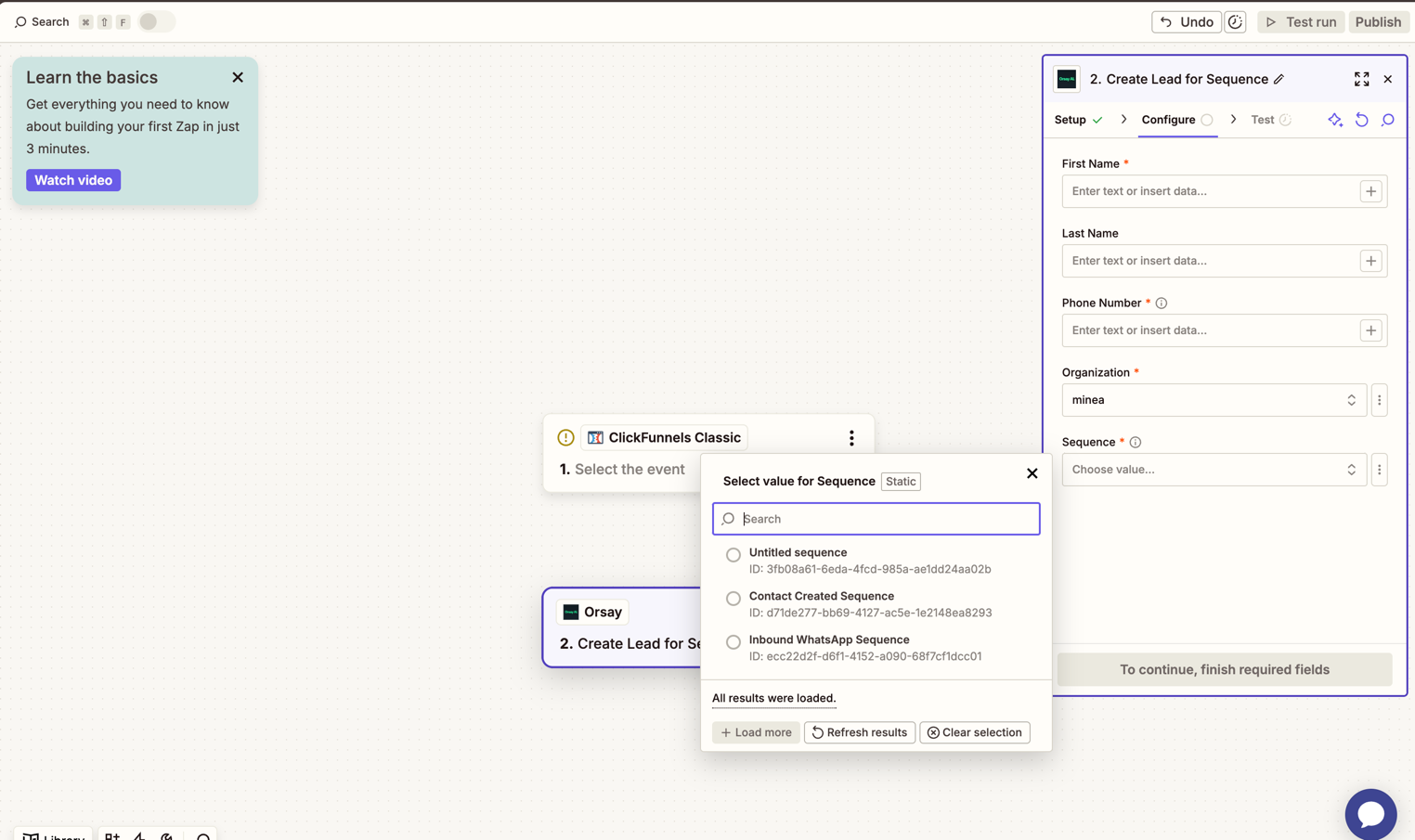
To find a sequence ID, click next to the sequence name on the Sequences page.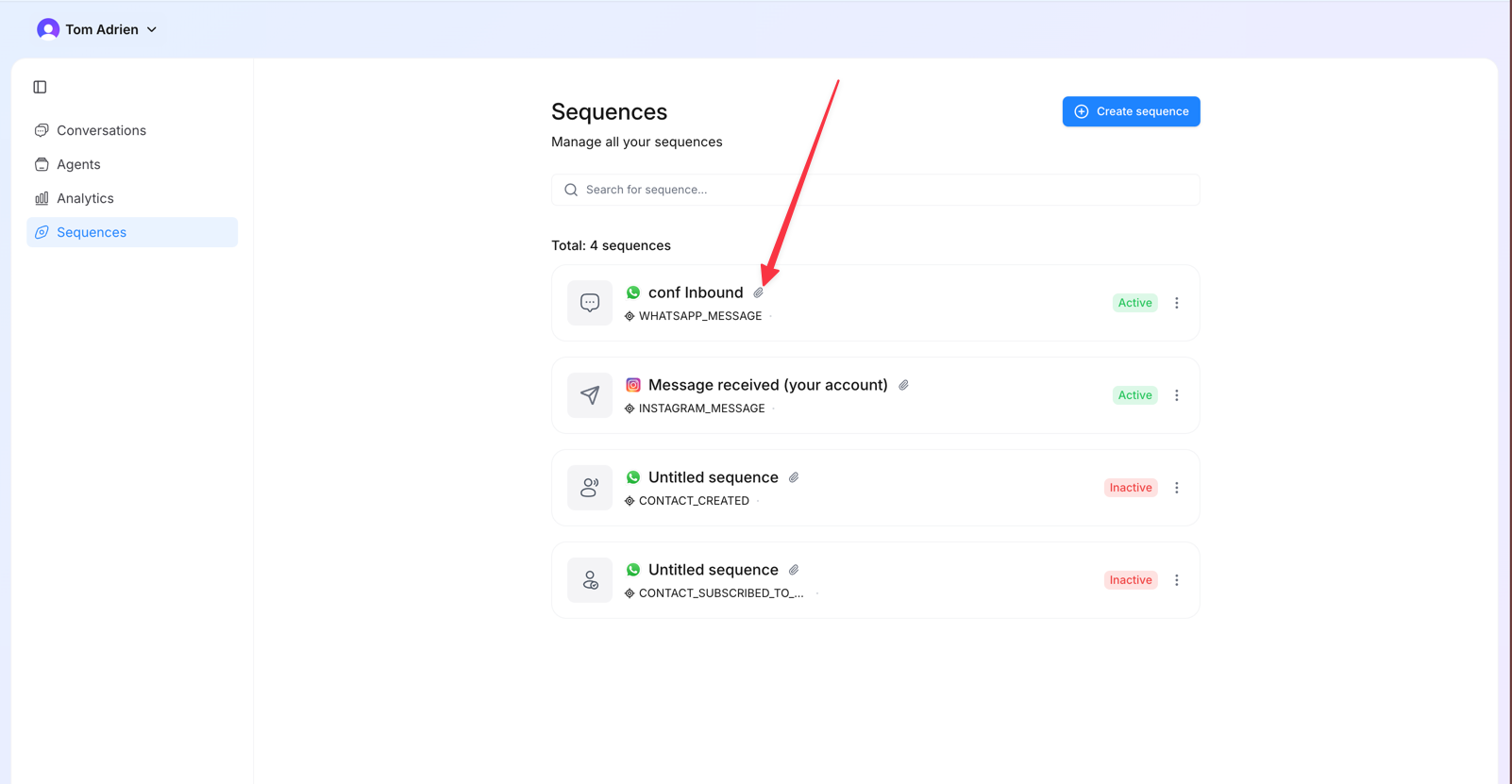
7
Turn the Zap on
Once the Zap is live, every new lead captured by your source flows into Orsay and triggers your Personal WhatsApp sequence — voice message included if you set one.