
Step 1 — Connect your Instagram account
- Go to Integrations in the left sidebar
- Click Instagram (Lead Generation) then Manage
- Enter your Instagram credentials:
- Account: Select your Instagram account
- Password: Your Instagram password
- Secret Key: Follow the video below
Warm-up process
To keep your account safe, Orsay runs a comprehensive warm-up:- Warm-up period (without DMs): 3-5 days
- Ramp-up phase (from 5 DMs/day to 80 DMs/day): ~3 weeks
Step 2 — Create an outbound sequence
- Go to Sequences in the left sidebar
- Click Create Sequence
- Select Instagram (left side)
- Select an Outbound trigger:
New Follower (your account)
New Follower (your account)
DMs your most recent followers.
Followers (of another account)
Followers (of another account)
Contacts the most recent followers of other Instagram accounts. Enter target accounts by @username or username — you can add multiple accounts.
New Likes (specific post)
New Likes (specific post)
DMs people who like one of your posts (you can choose multiple). Most recent likes are prioritized. Enter the post URLs.
Comments (on another account)
Comments (on another account)
DMs people who comment on your competitors’ posts (you can choose multiple). Most recent comments are prioritized. Enter the post URLs.
Add actions to your sequence
Click the ”+” button to add action steps. Actions are executed sequentially when a trigger fires.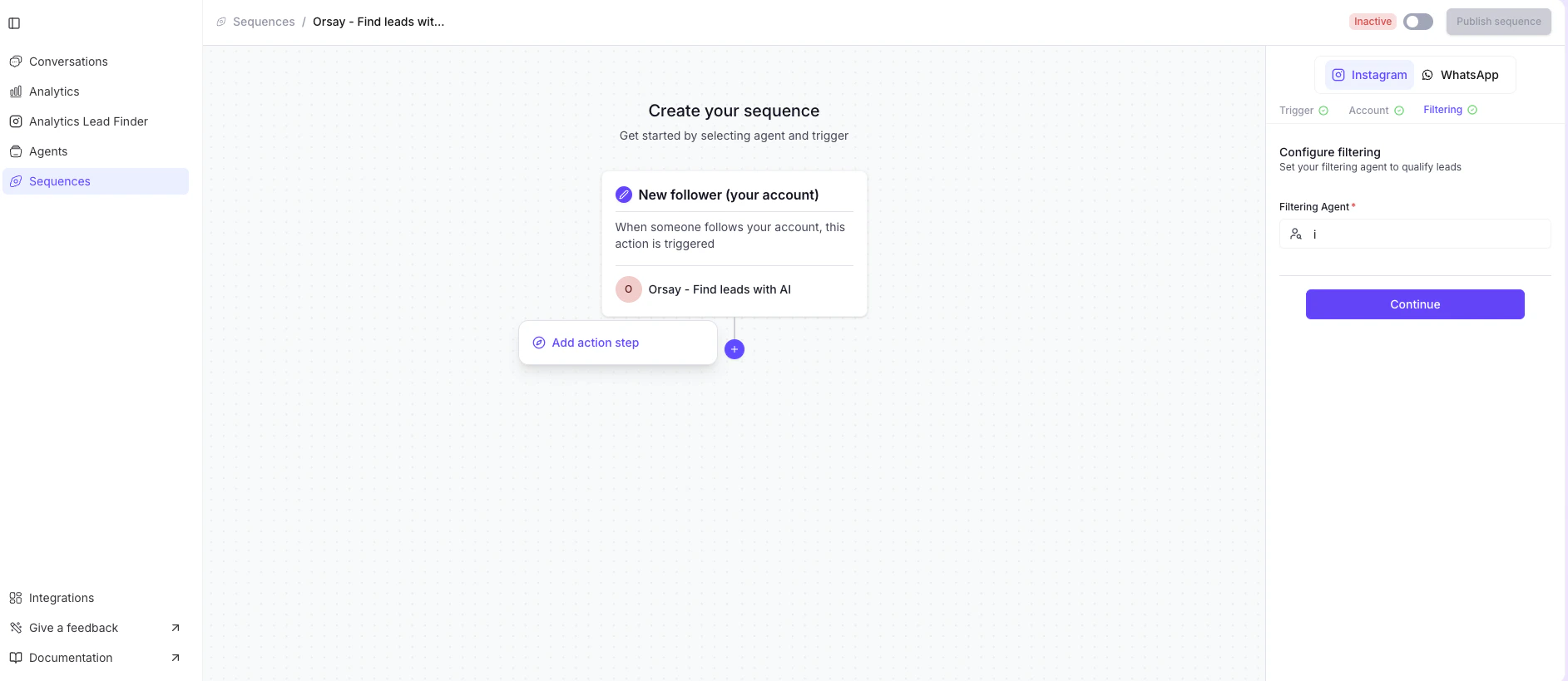
Follow an account
Follow an account
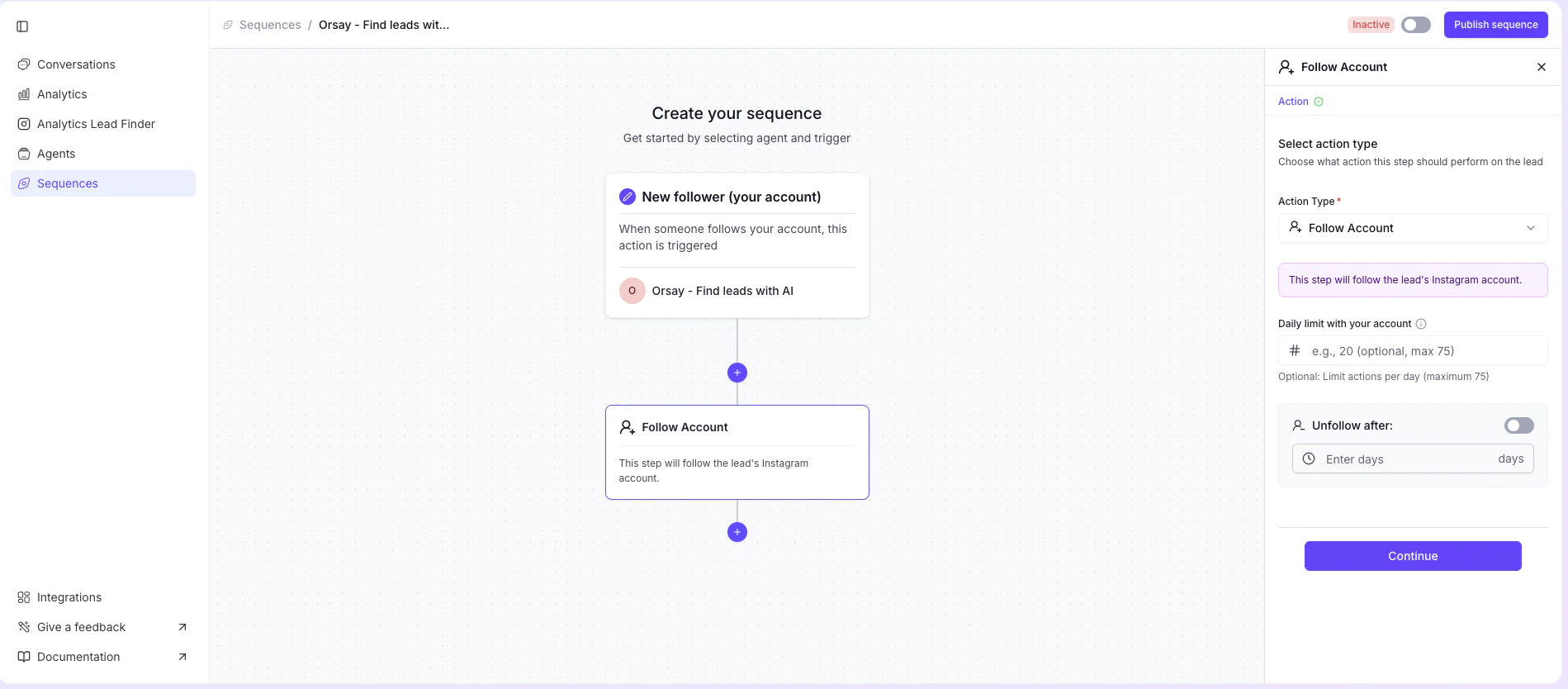
- Follow accounts (up to 75 per day)
- Toggle auto-unfollow on the right and set how long you want to stay followed
- Click Continue
Like posts
Like posts
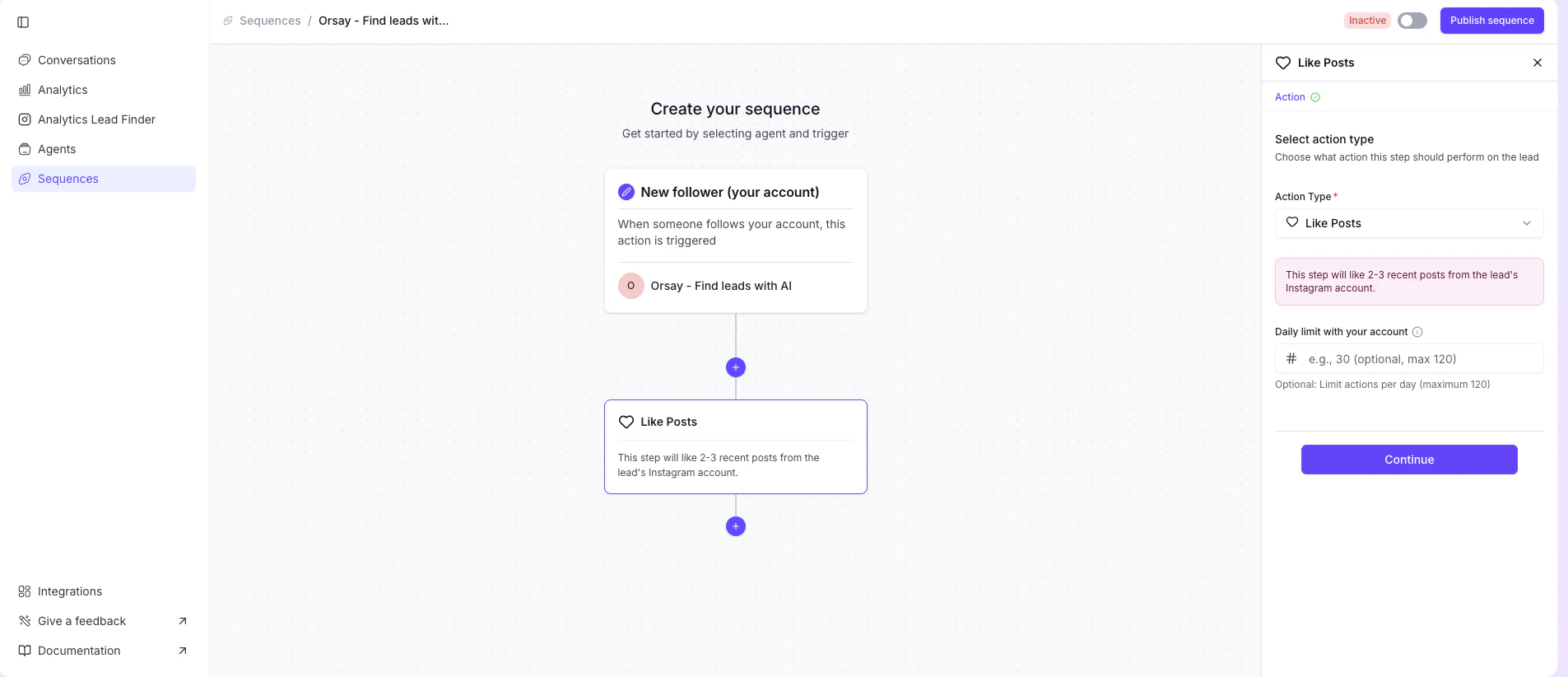
- Like recent posts (up to 120 per day)
- Click Continue
Send a message
Send a message
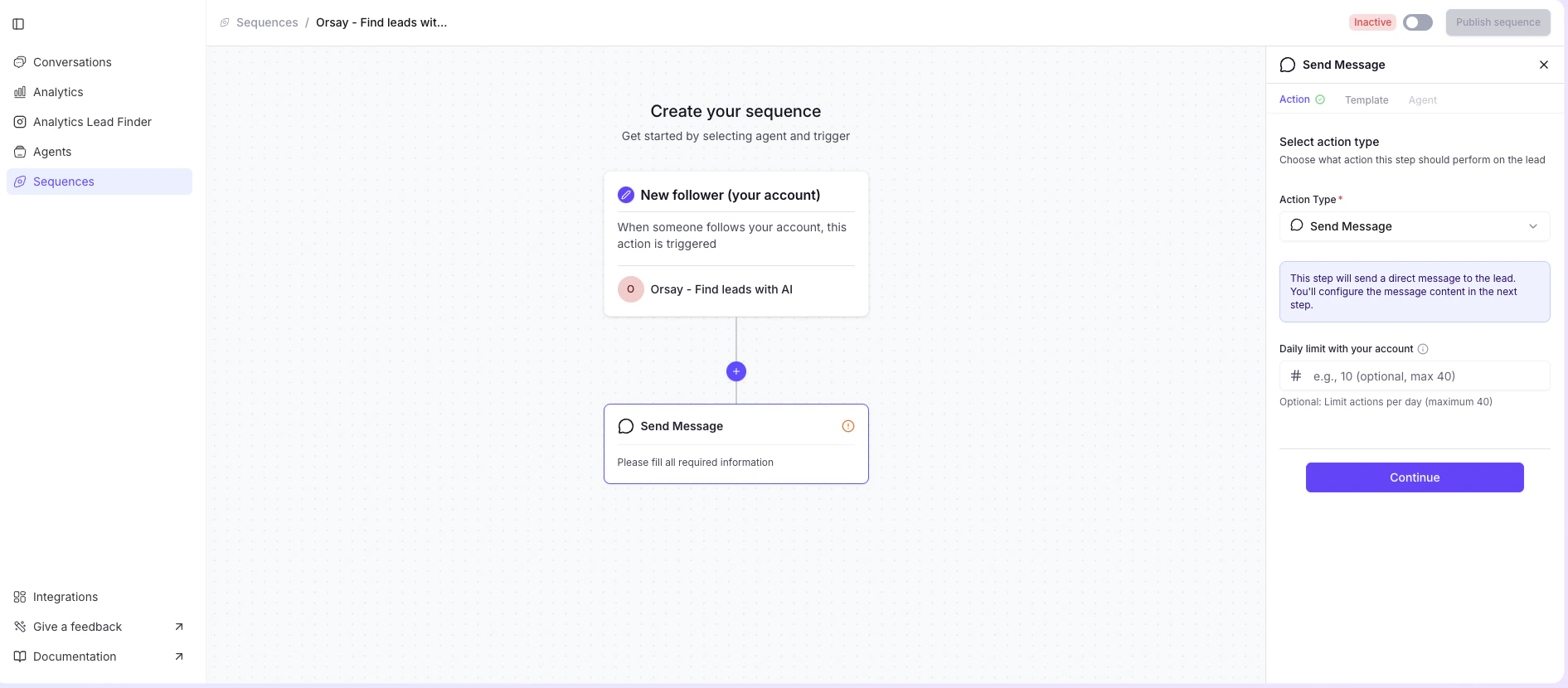
- Send a message (up to 40 per day)
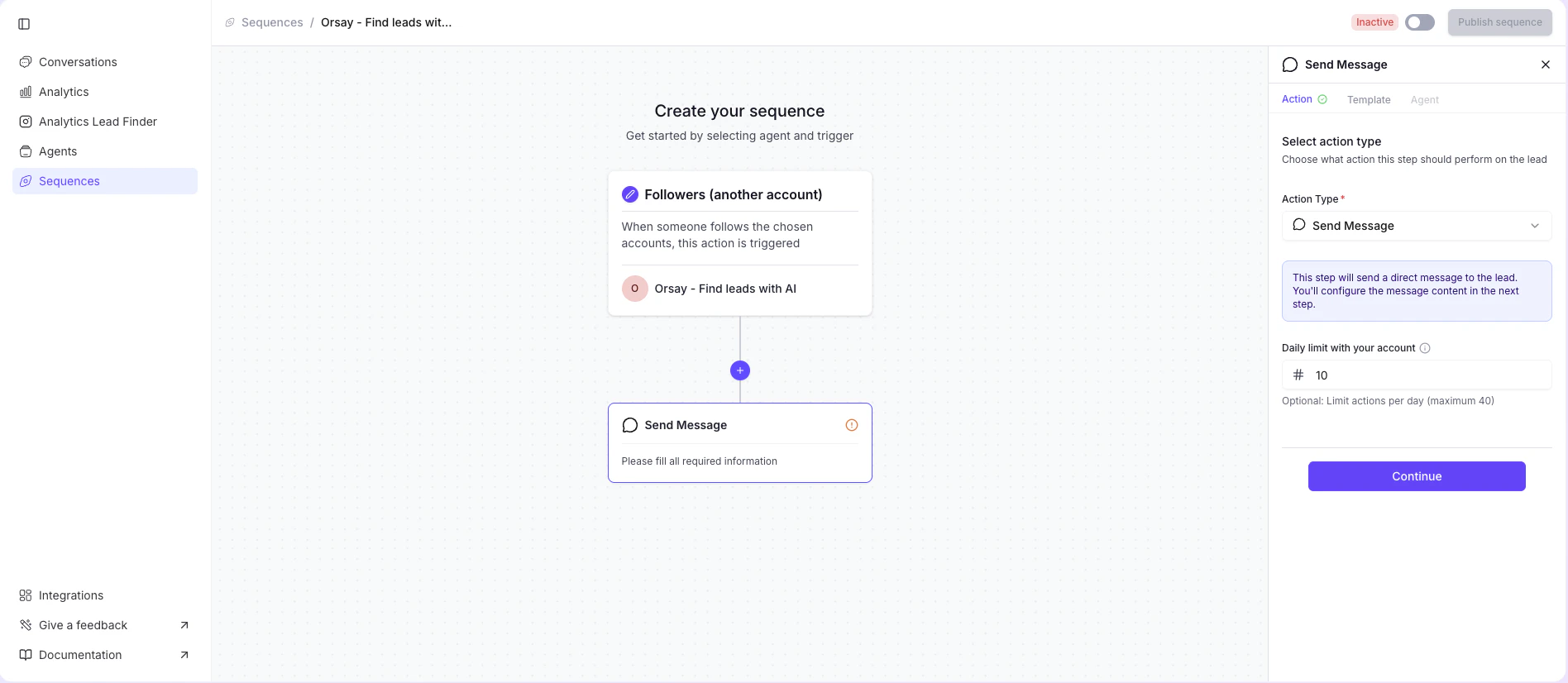
- Enter the message you want to send
- Click Continue
Configure your sequence settings
- Select the account you want to interact from (this is where your follow, like, and message actions will come from)
If you’re sending DMs (optional):
- (Optional) Create the template message your AI agent will send. The agent takes over once the lead responds.
- Use {{name}} to automatically insert the lead’s first name
- Filtering Agent: Describe your ideal customer profile
- Daily limit: How many DMs per day (max 50 once ramp-up is finished)
- Agent: Select which AI agent handles the conversation
- Contact people with existing conversation history: Choose YES or NO
- Answer delay: Add a delay before the agent responds to make it feel natural
Step 3 (optional) — Create your AI agent
This step is only needed if you want to send a DM as part of your sequence. If your sequence only follows and likes (no messaging), you can skip this. The AI agent handles the conversation with your leads once they respond to your DM. See how to create an AI agentIf you need help, Orsay’s support team is here for you! Reach out on WhatsApp for quick and personalized assistance.