
What Orsay AI Does on Instagram (Outbound)
Orsay AI automates Instagram lead generation by proactively finding and engaging qualified prospects from your competitors’ audiences. Instagram Outbound Features:- Smart Follower Targeting: AI filters competitors’ followers to engage only business-relevant profiles
- Automated Engagement: Systematic likes, follows, and interactions within Instagram’s safe limits
- DM Automation: Sub-5-minute responses with intelligent follow-up sequences
- Growth Metrics: Average 400+ qualified followers/month with 18% follow-back rate
Warm-up Process
To ensure your account is fully secure, we have a comprehensive warm-up process to make sure we comply with all Instagram rules and keep your account safe at all times.- Warm-up period (without DMs): 3–5 days
- Ramping-up phase (we will progressively go from 5 DMs/day to 80 DMs/day): ~3 weeks
Outbound (max 50 DMs/day)
With this, the goal is to let the AI look at all the recent leads that either:- Liked one of your posts
- Followed you
- Liked a post of one of your competitors
- Followed one of your competitors.
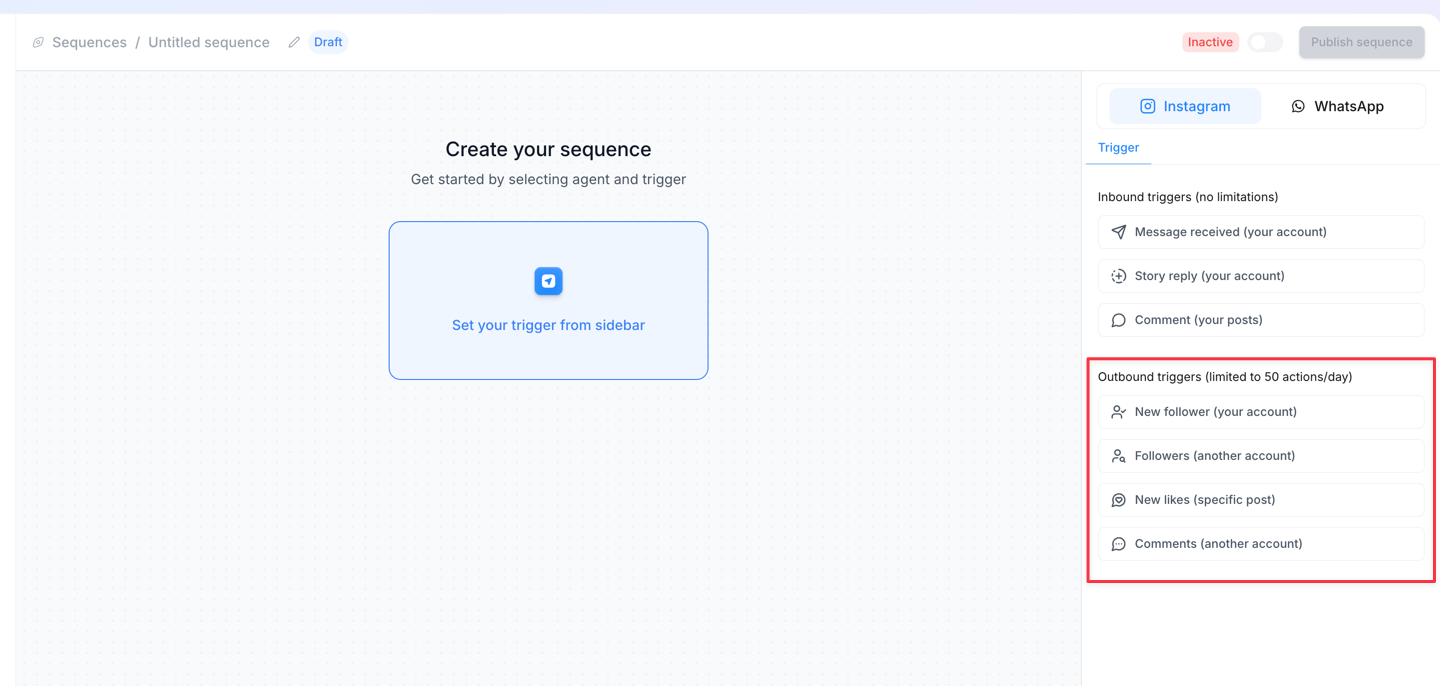
Outbound setup
📸 Outbound Step 1: Connect your Instagram Account
📸 Outbound Step 1: Connect your Instagram Account
- Go to: “Integrations”
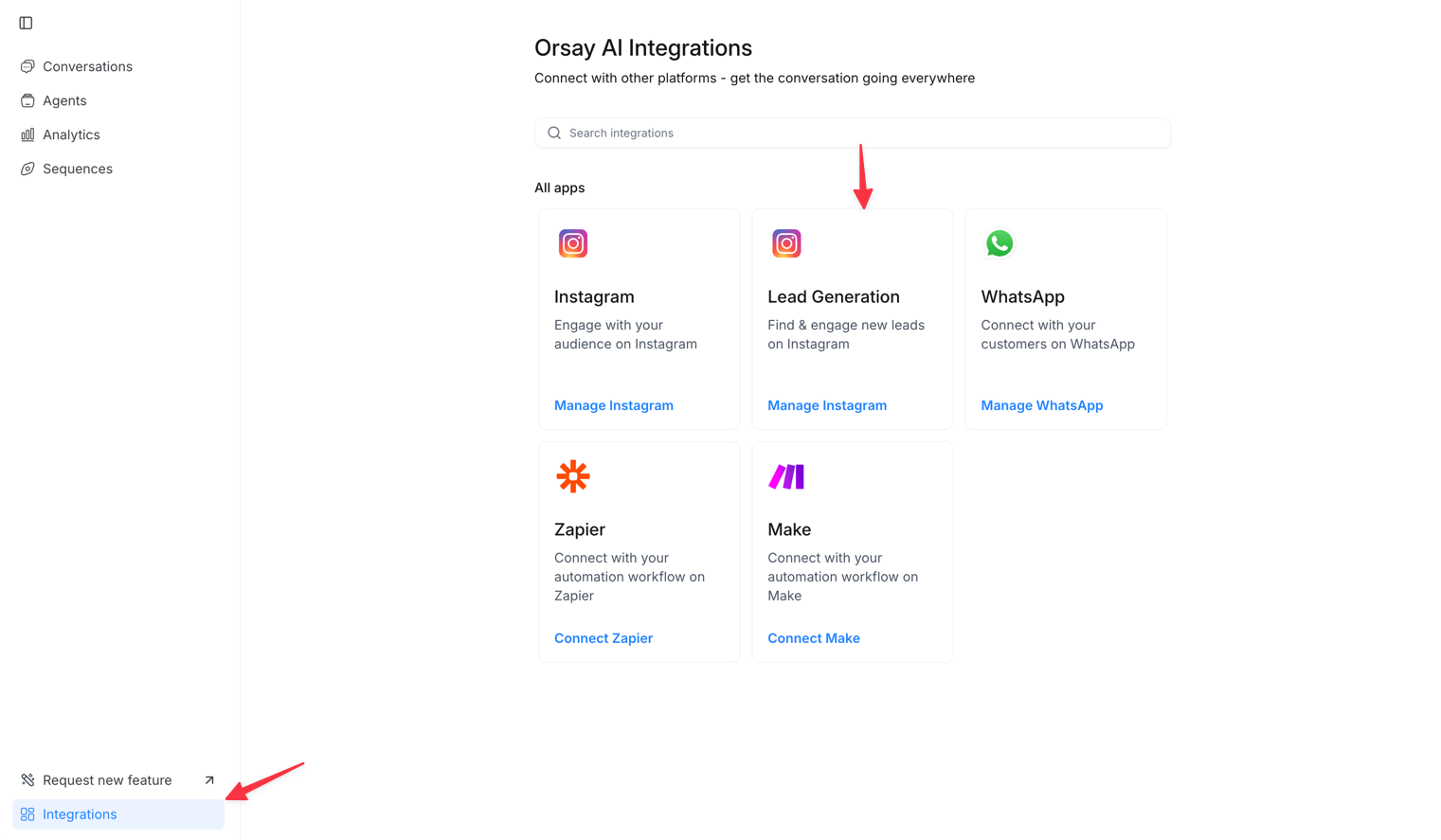
- Manage Instagram ( Lead Generation )
- Account* : Connect an Instagram account ( Select your account )
- Password* : your Instagram password
- Secret Key* : ⬇️
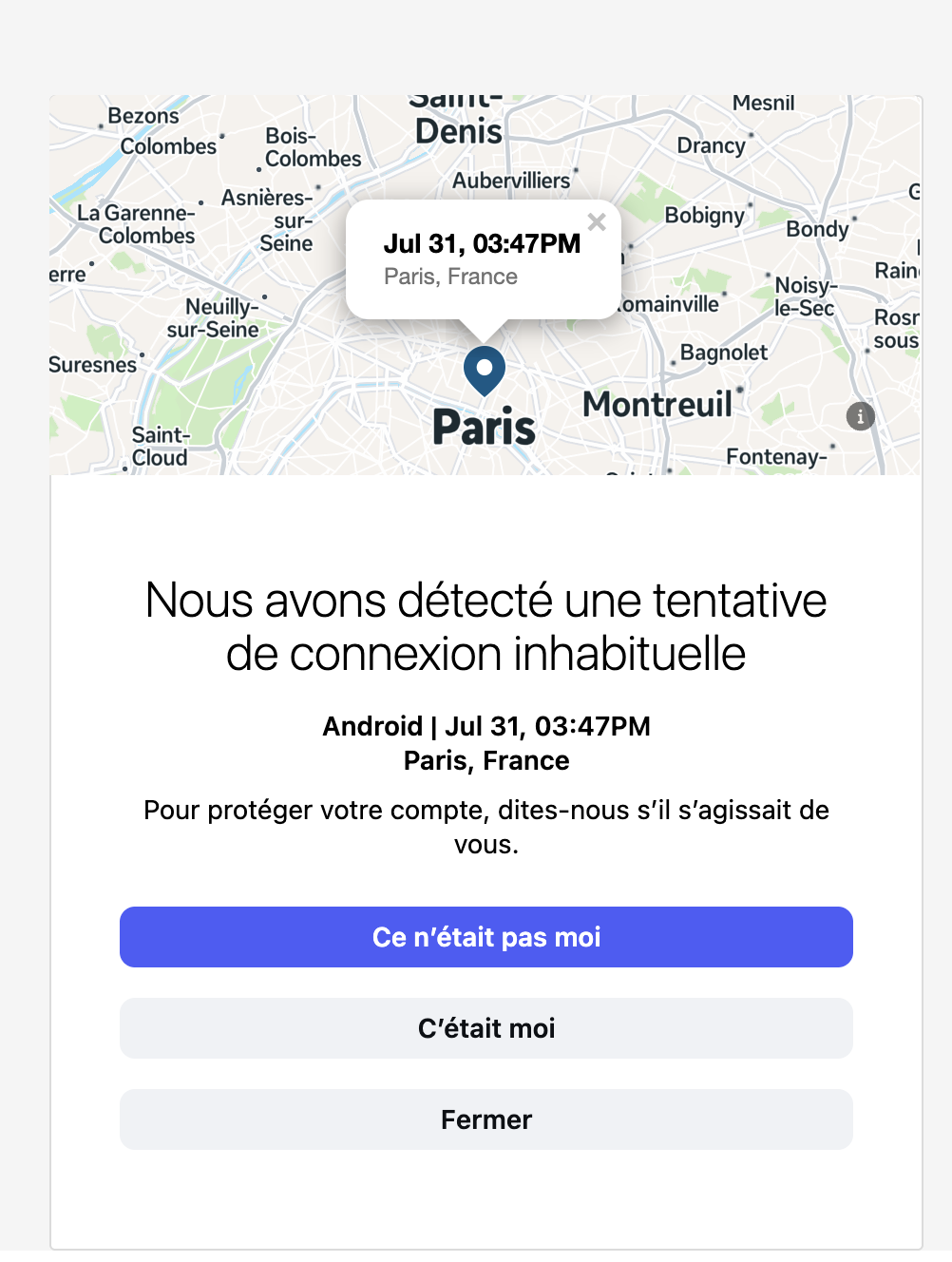
⚠️ If you receive this alert on Instagram, click on “It was me” and wait 5 minutes to reconnect to Orsay.
🤖 Outbound Step 2: Set up your AI
🤖 Outbound Step 2: Set up your AI
This is needed because the AI will communicate with your clients. Therefore, you need to ensure that the AI runs smoothly.
Click Here to see the AI Creation Process
🧭 Outbound Step 3: Set up your sequence
🧭 Outbound Step 3: Set up your sequence
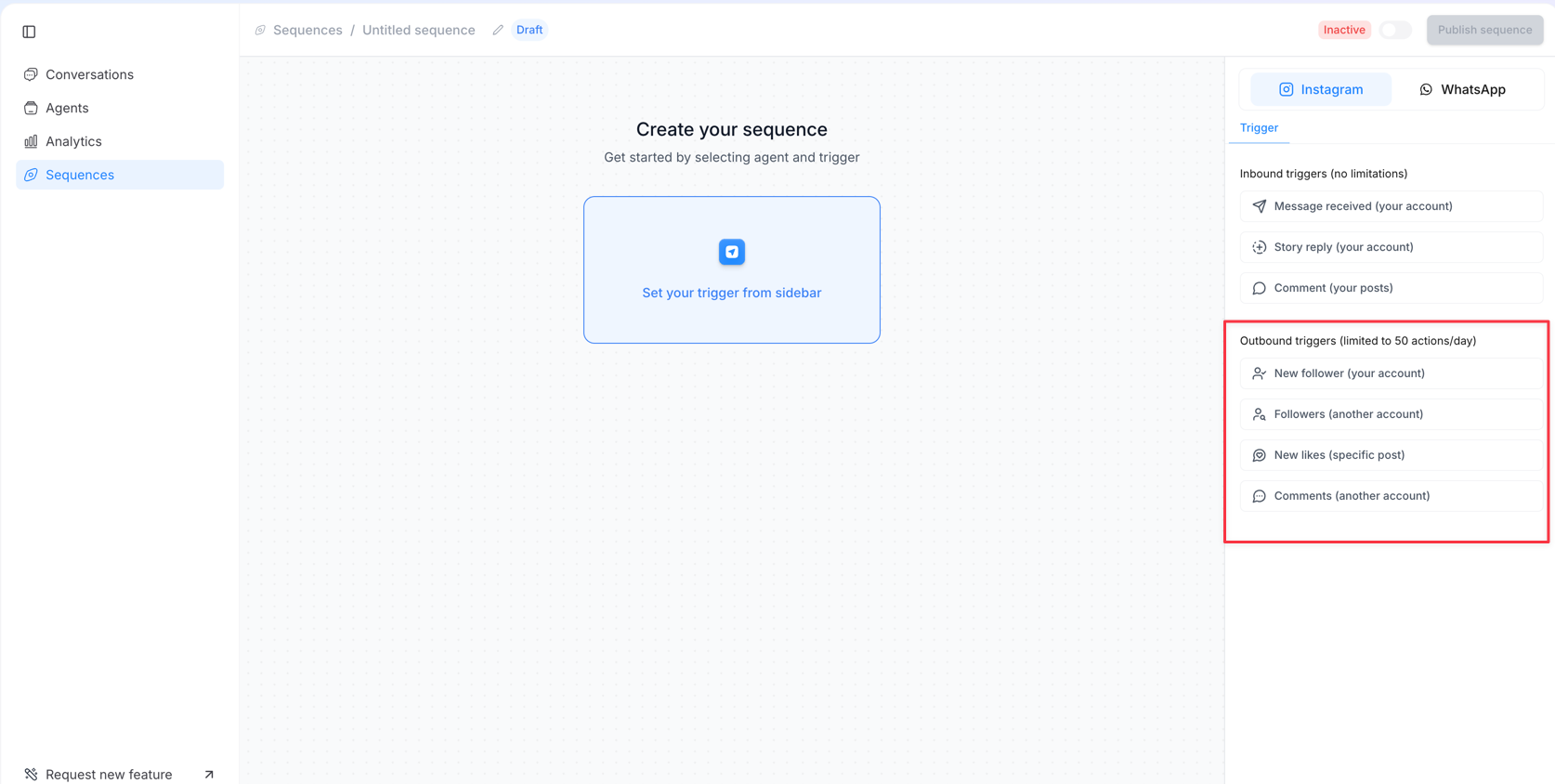
- Go to : “Sequences” at the top left
- Create sequence
- Choose Instagram (Left side)
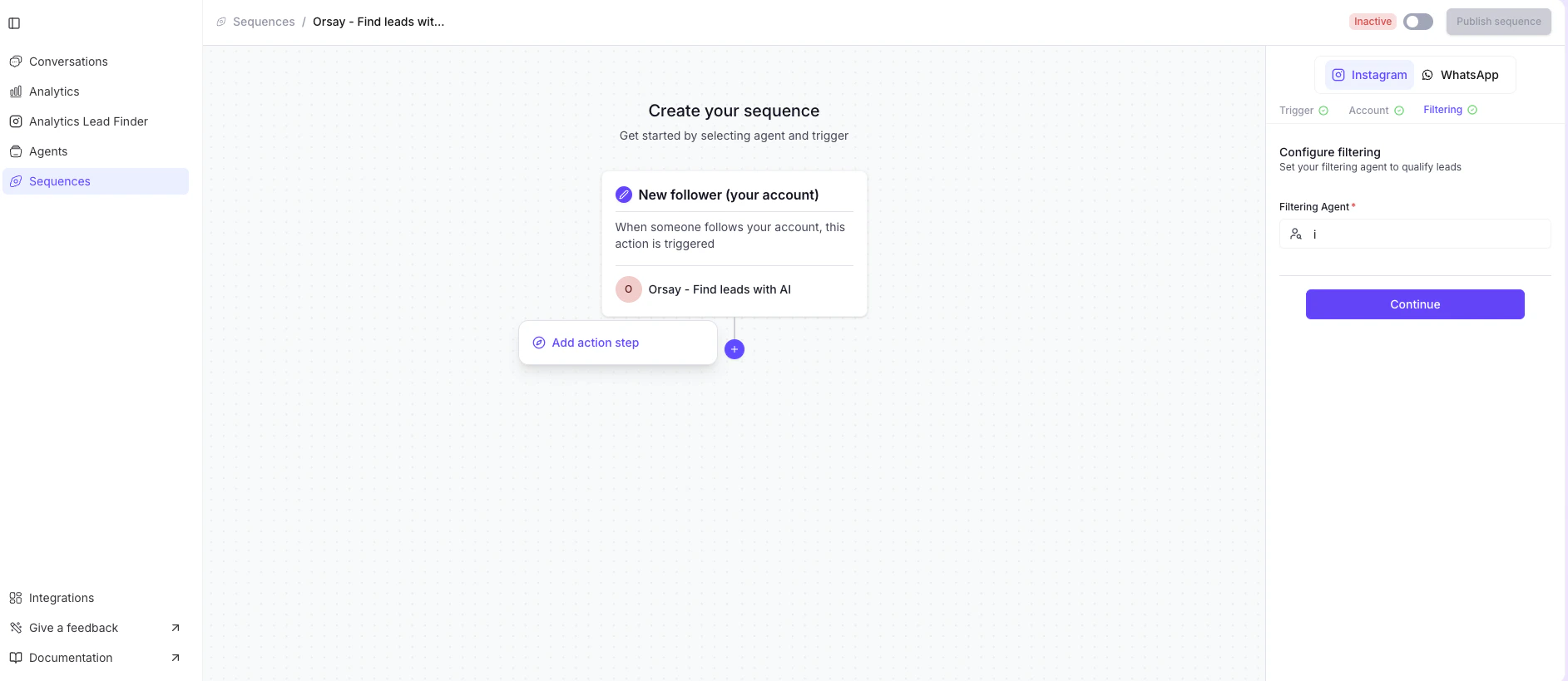
👤 New Follower (your account)
👤 New Follower (your account)
- This is to DM your most recent followers
👥 Followers (of another account)
👥 Followers (of another account)
- This is to contact the most recent followers of other Instagram accounts
- Select the accounts: Choose the target accounts to contact followers from. Add or remove usernames as needed by @username or username. You can add multiple accounts.
❤️ New Likes (specific post)
❤️ New Likes (specific post)
- This is to DM people who like one of the posts (you can choose multiple). The most recent likes are prioritized.
- Select the posts: Choose the target post URLs to contact leads from. Add or remove URLs as needed. You can add multiple URLs.
💬 Comments (on another account)
💬 Comments (on another account)
- This is to DM people who comment on your competitors’ posts (you can choose multiple). The most recent comments are prioritized.
- Select the posts: Choose the target post URLs to contact leads from. Add or remove URLs as needed. You can add multiple URLs.
👤 Follow an account
👤 Follow an account
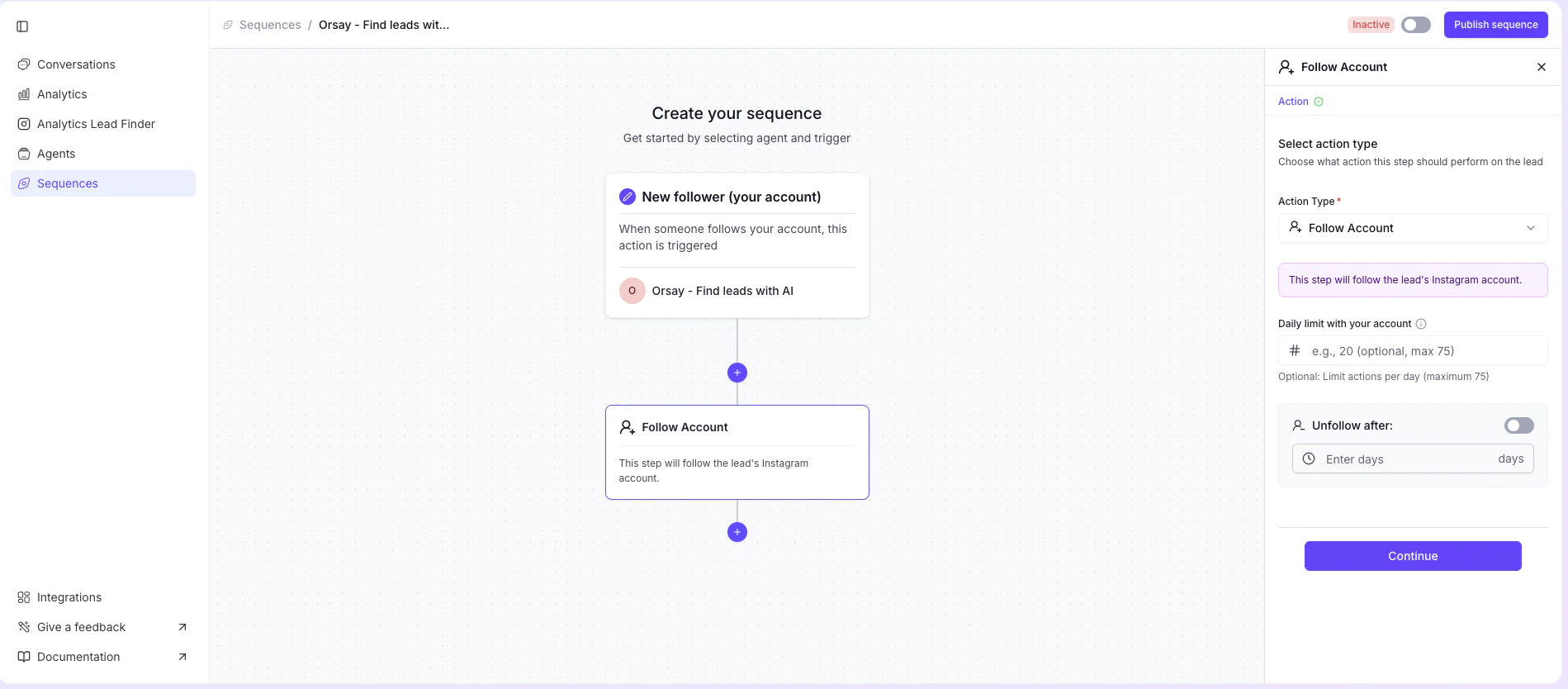
- You can follow accounts (up to 75 per day) for the outbound sequences you launch
- You can also automatically unfollow: simply toggle the switch on the right and select the duration you wish to stay followed.
- Click Continue to confirm the action
❤️ Like posts
❤️ Like posts
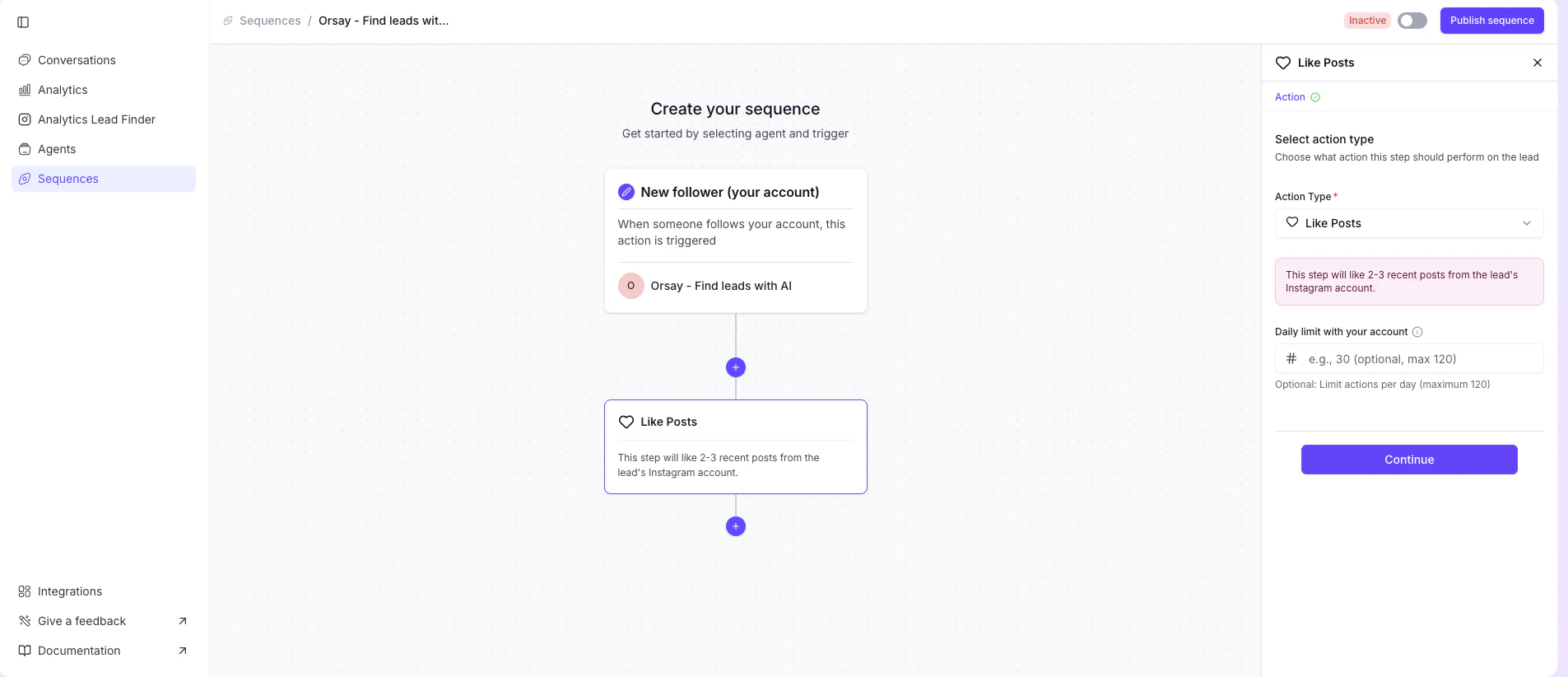
- You can also like recent posts (up to 120 per day)
- Click Continue to confirm the action
💬 Send a message
💬 Send a message
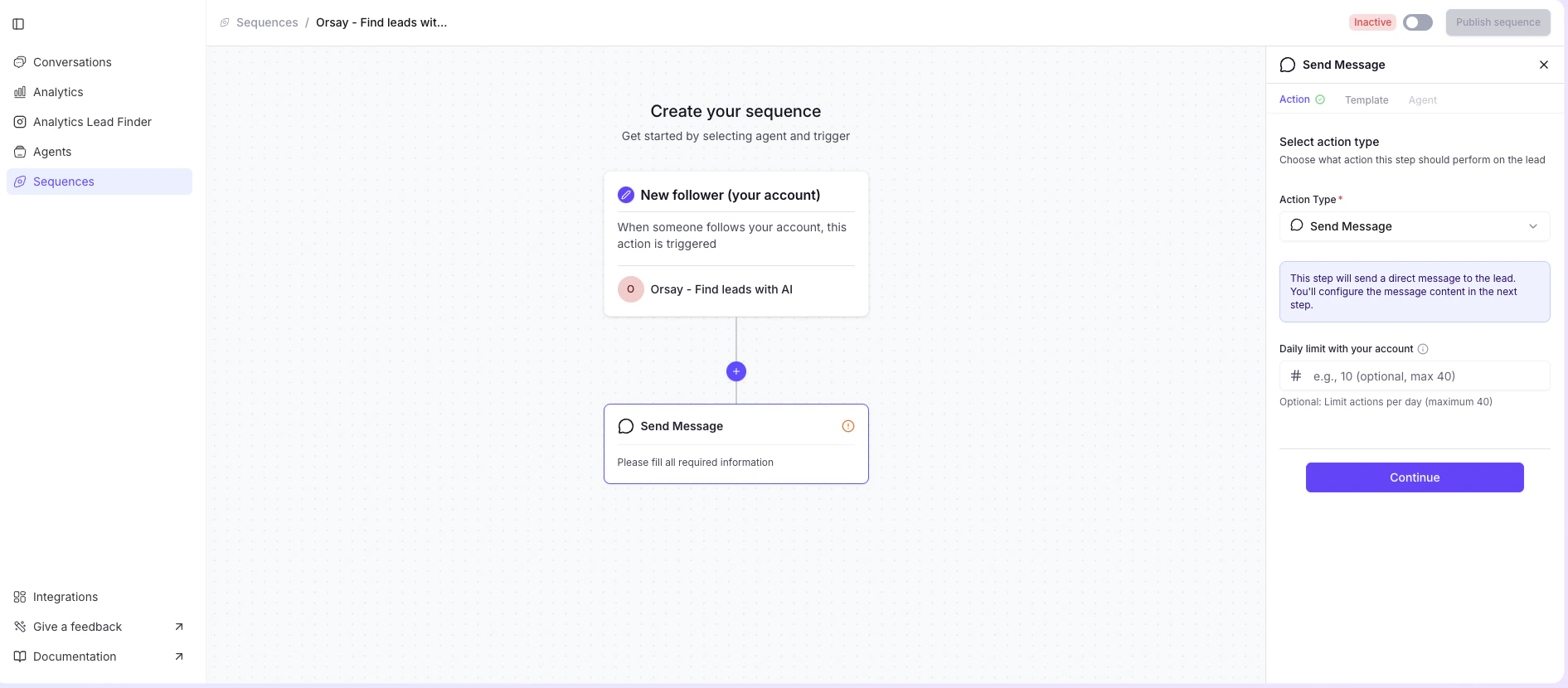
- You can also send a message (up to 40 per day)
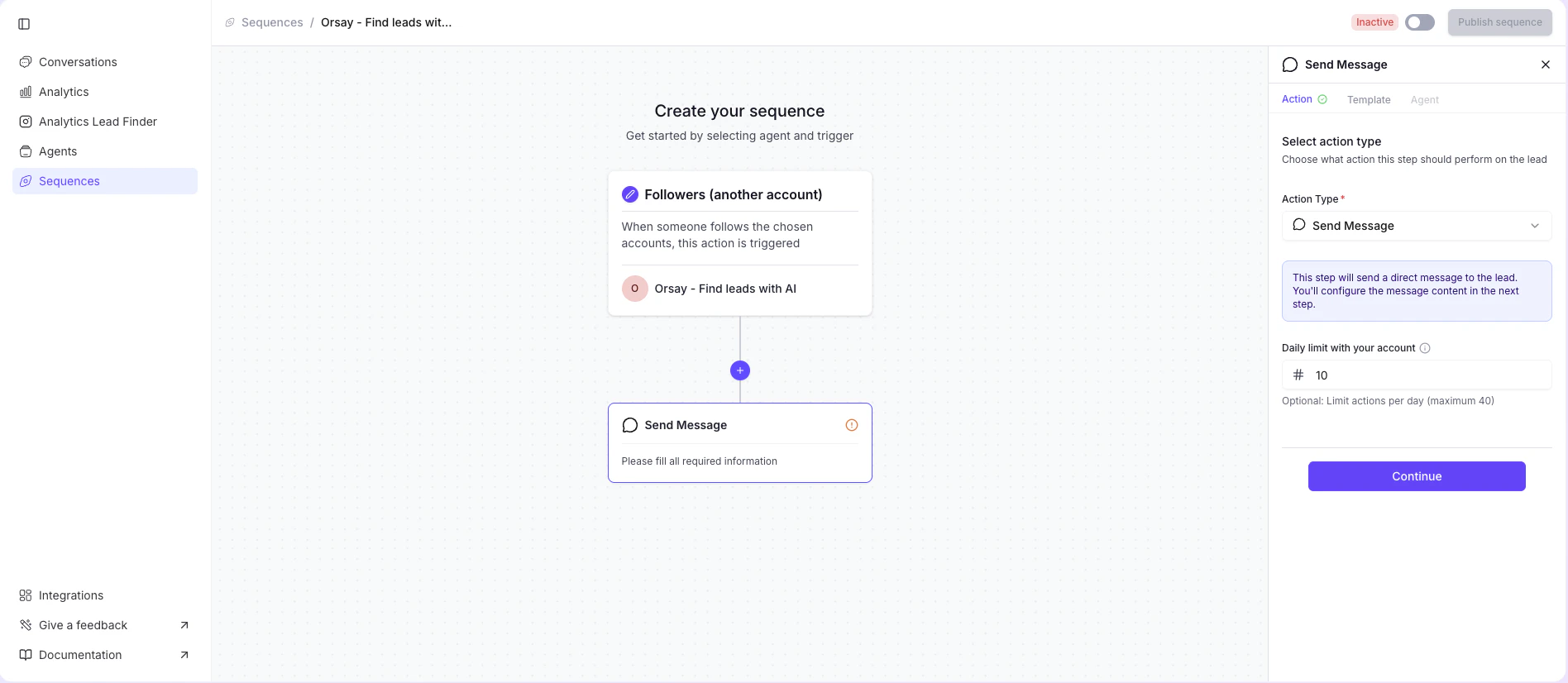
- Click Continue: And enter the message you wish to send.
- Click Continue to confirm the action
- Select the right account you want to DM from
- Create the Template you want to send (Our AI agent will takeover once the lead has responded)
- You can add {{name}}, which will automatically analyze the leads’ first names.
- Filtering Agent* : Ideal customer Profil description
- Daily limit : How many DMs do you want to send per day (maximum of total outreach DMs per day is 50 once the ramp up phase is finished)
If you need help configuring your AI agent, Orsay’s support team is here for you! Reach out to us on WhatsApp for quick and personalized assistance.