
Each time you get a lead, a Zap runs and sends the lead information so we can contact them directly.
Here is the process:
1️⃣ Access Orsay Integrations:
- Go to the Integrations menu.
- Click Connect Zapier.
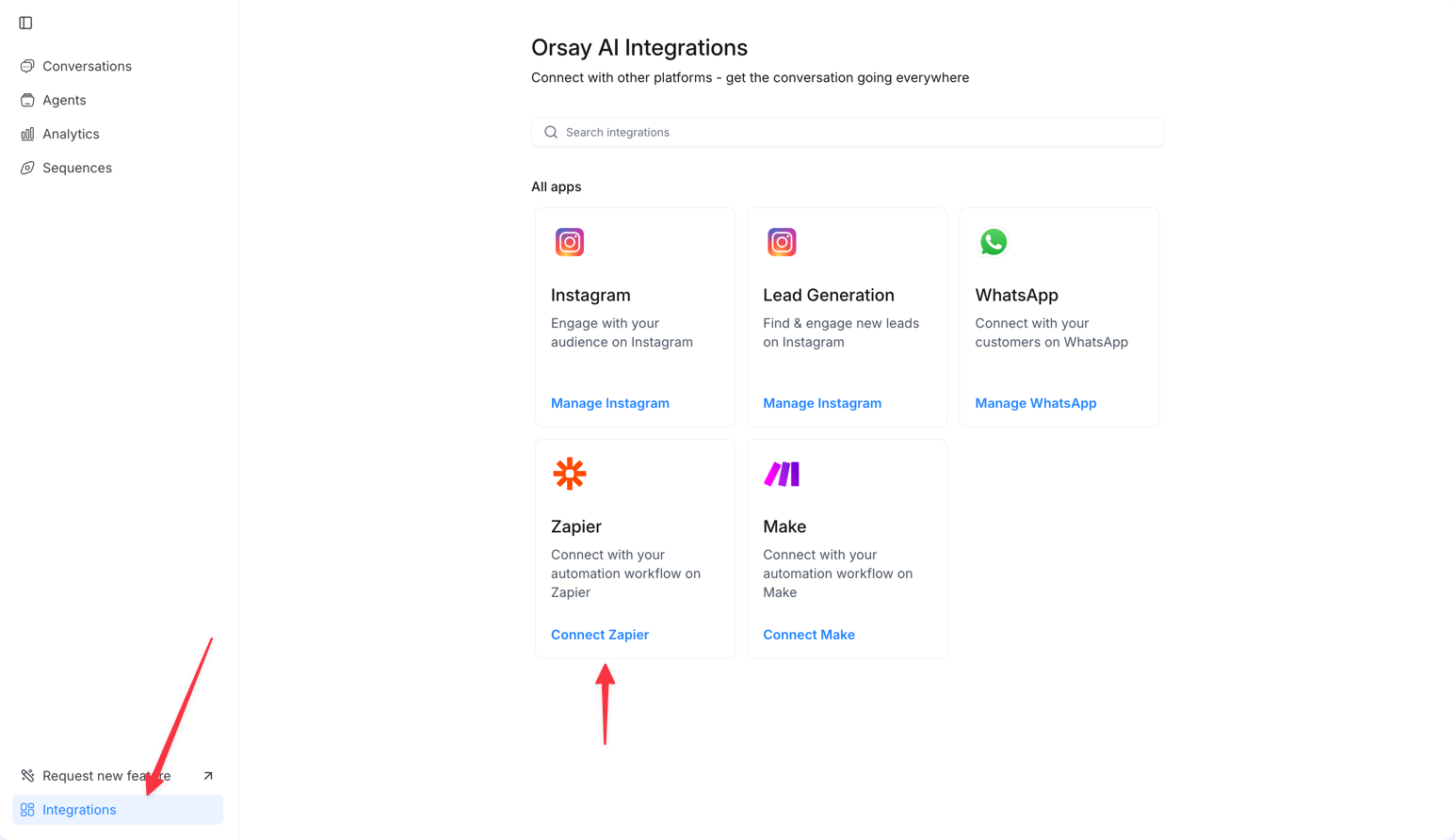
2️⃣ Create a Zap in Zapier:
- Click + Create to start a new Zap.
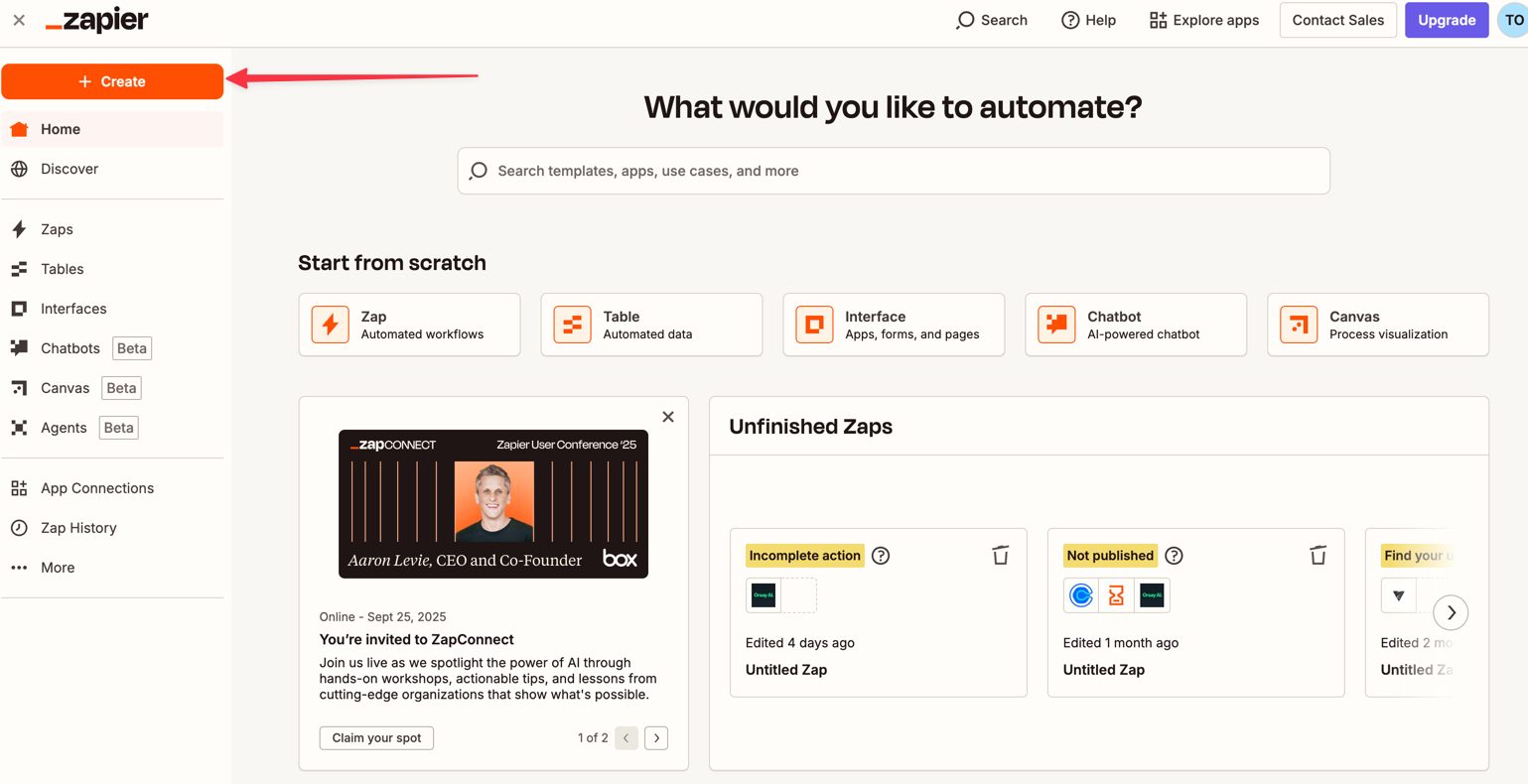
3️⃣ Choose the Lead Source
In Zapier, select the source of your leads, such as:- Facebook Lead Ads (form)
- ClickFunnels page
- systeme.io form
- Any other compatible platform
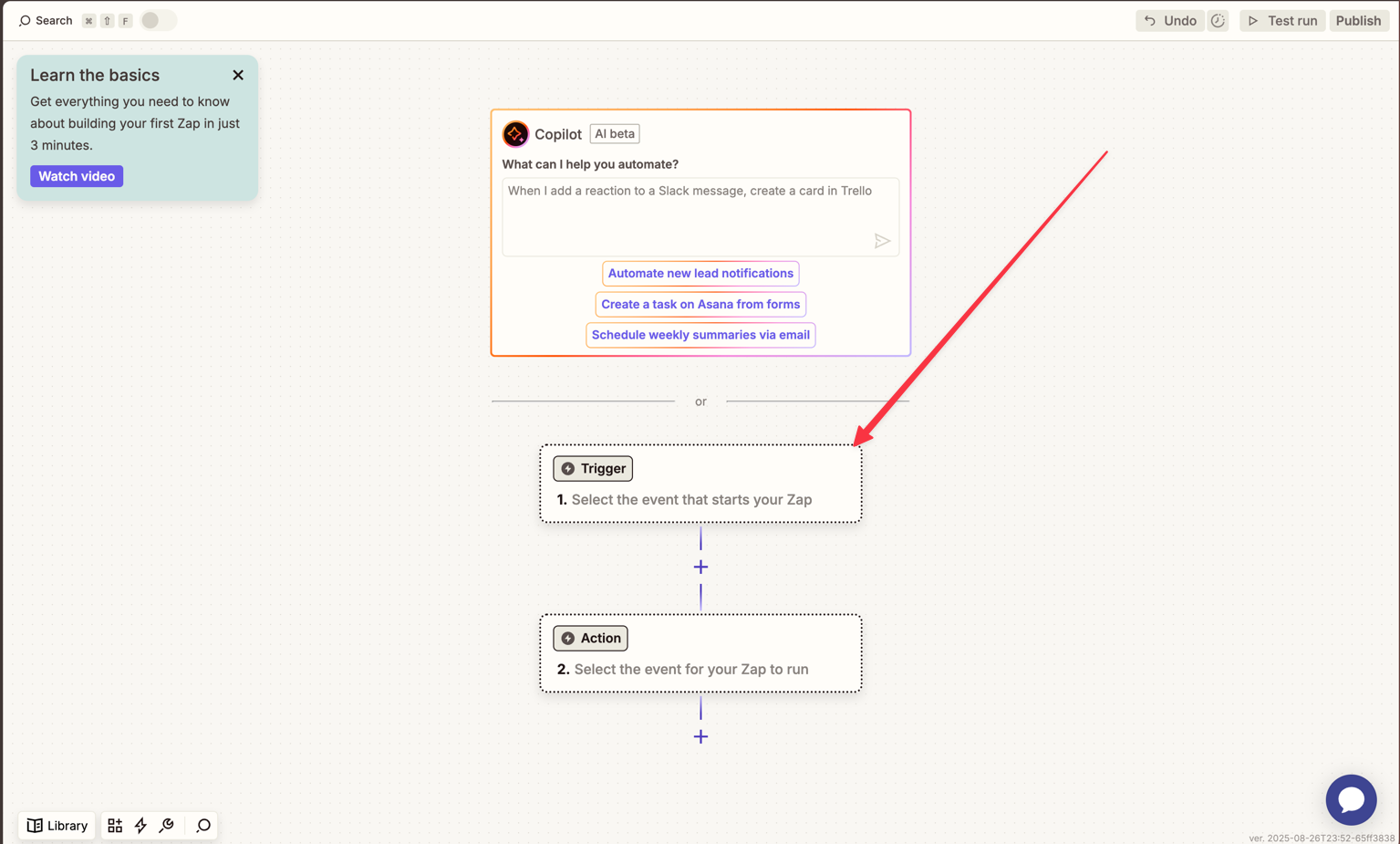
4️⃣ Configure the Orsay Action
-
Select Create Lead for Sequence (recommended, so each lead is added directly into a specific sequence).
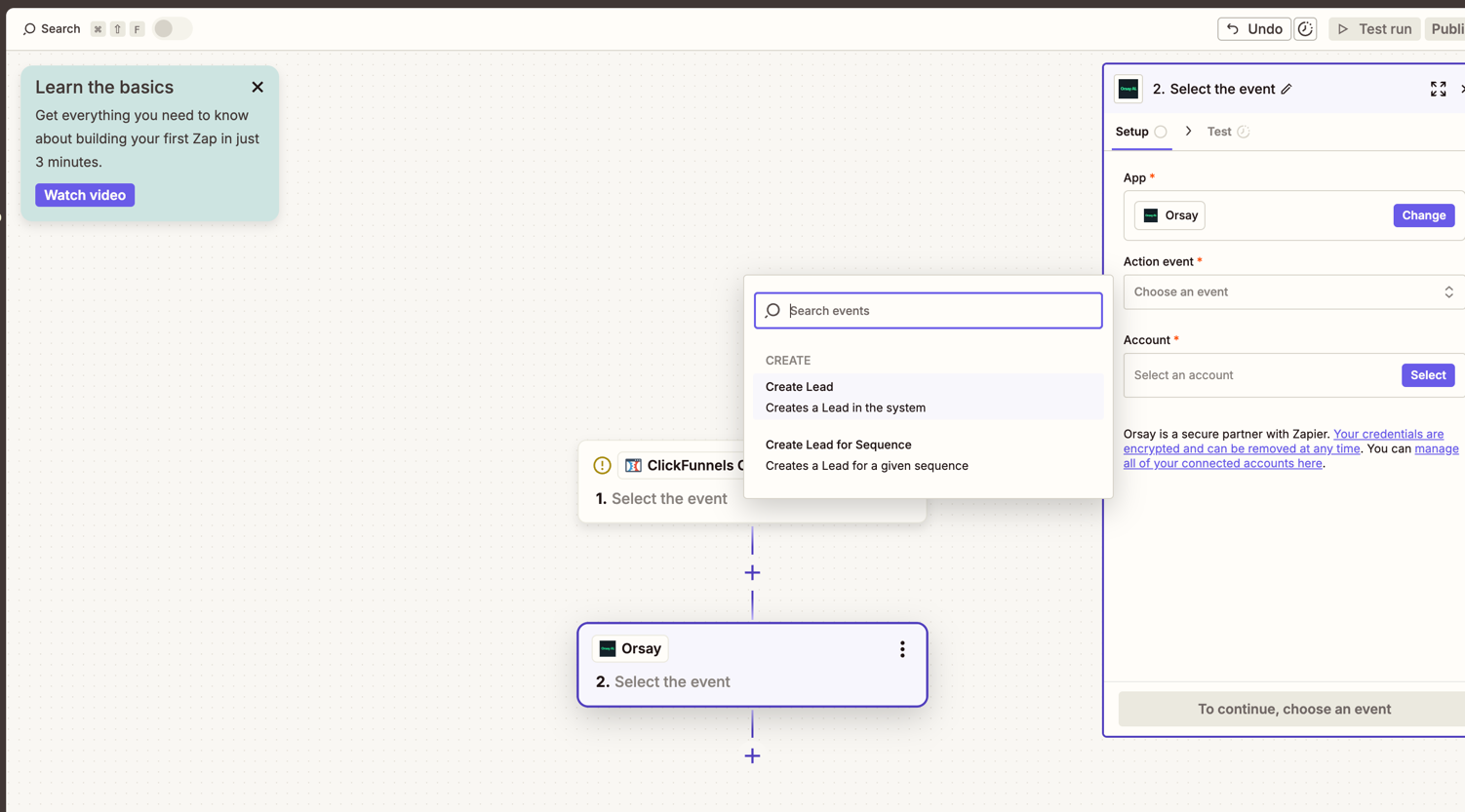
-
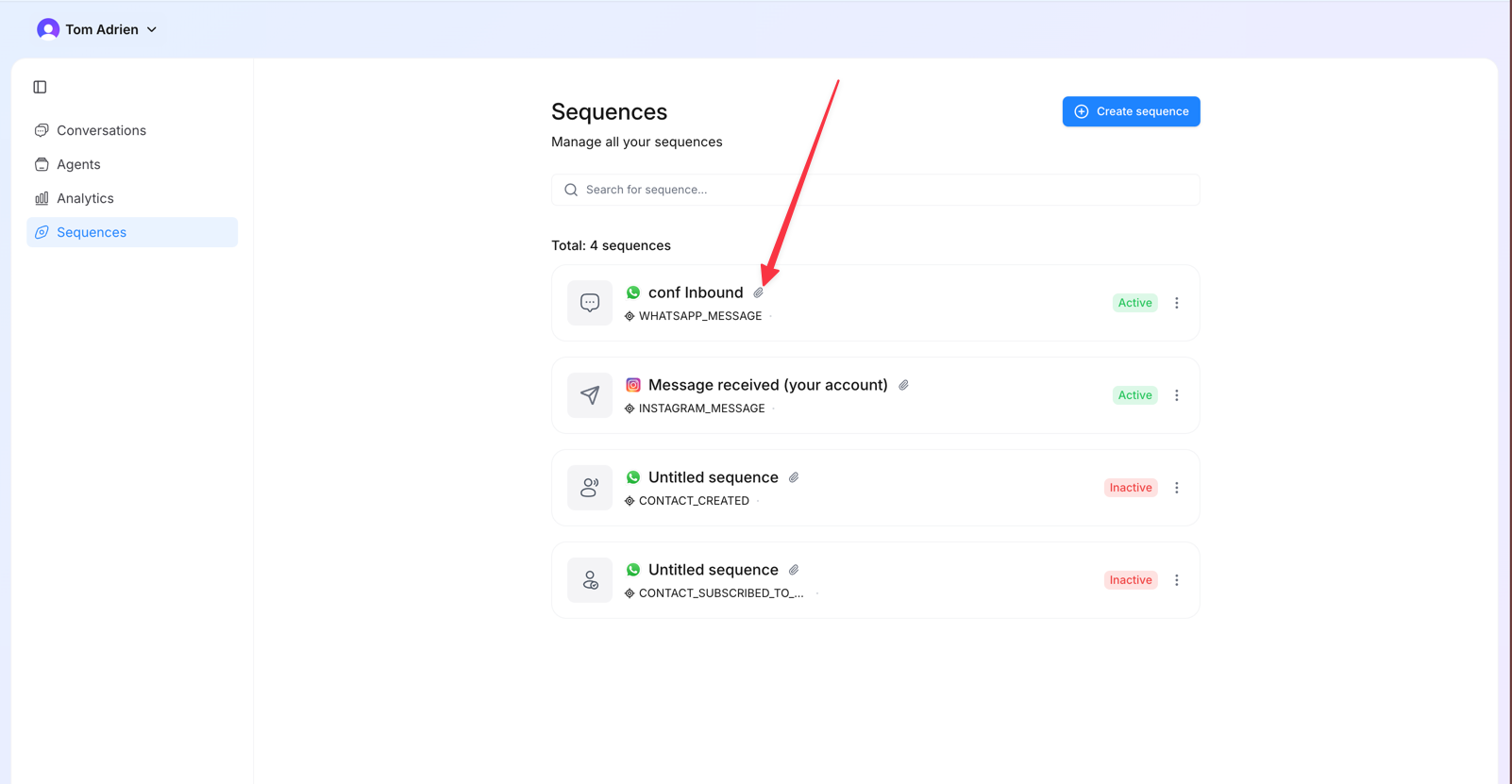
PS: You can get a sequence ID by clicking next to the sequence name here
- Map the fields according to what you defined in Step 1.
-
The available fields include:
- First Name
- Last Name
- Phone Number
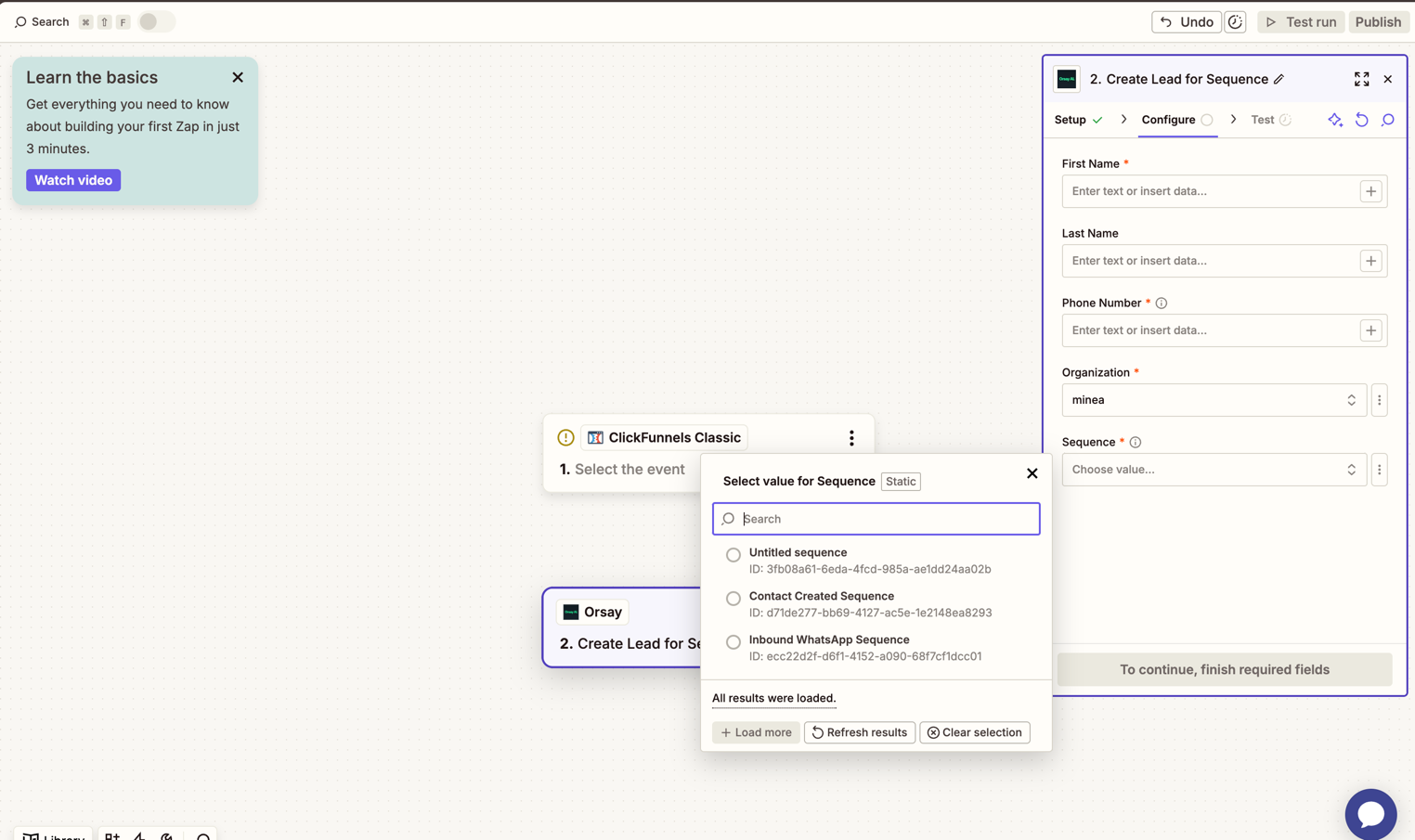
5️⃣ Assign to Organization and Sequence
- Select the relevant Organization.
- Choose the Sequence where the lead should be added.
- From now on, every lead captured from Zapier will automatically flow into Orsay and be placed into the correct WhatsApp sequence.
If you need help configuring your AI agent, Orsay’s support team is here for
you! Reach out to us on WhatsApp for quick and
personalized assistance.